 SAMPLED
What Is Rys Up Audio, and How Can Its Tools Help Your Sessions?
From real-time vocal tuning and tighter harmonies to moving projects between DAWs, Rys Up Audio tackles practical recording workflows. Here is what its tools offer.
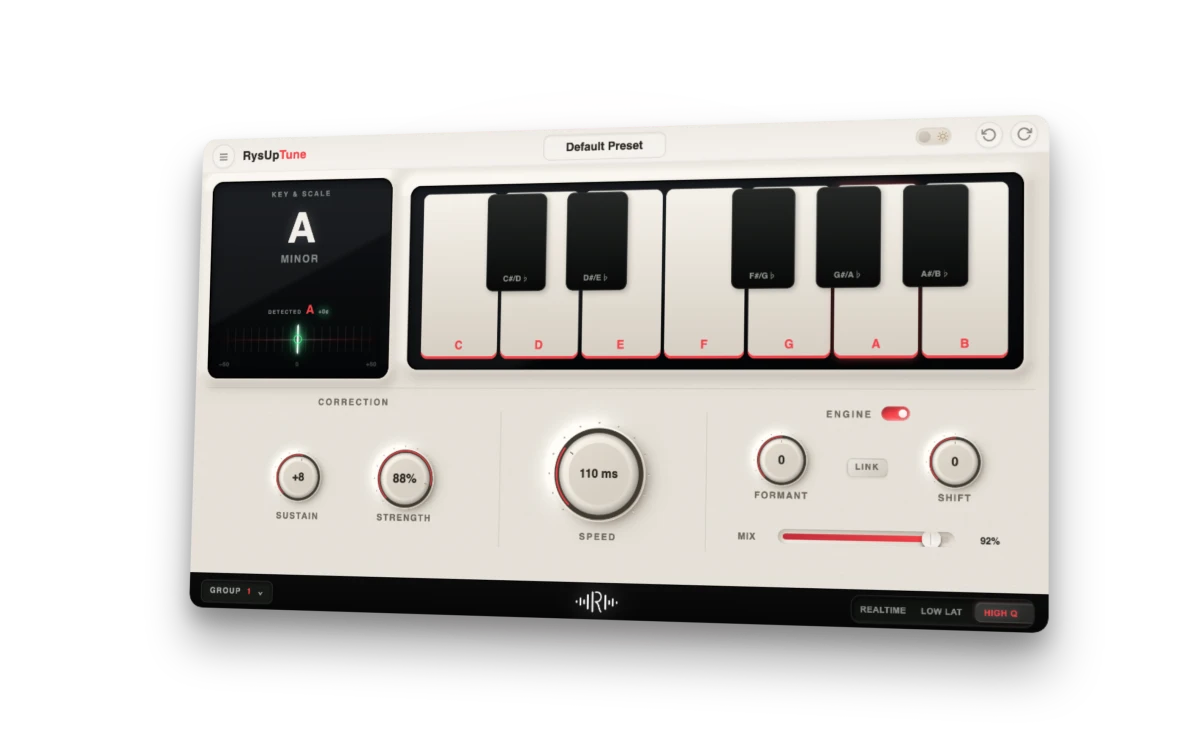
A great vocal idea can arrive quickly. Finishing it is where the work piles up: correcting a few notes, lining up doubles, shaping the sound and getting the session to a collaborator who uses different recording software.
Rys Up Audio (opens in a new tab) builds tools around those jobs. Its catalogue brings together vocal presets, dedicated mixing plugins and a session converter designed to move editable projects between DAWs. The appeal is practical: spend less time rebuilding a workflow and more time making the performance work.
Coverage note: This company-requested feature is based on Rys Up Audio’s official product information, not a hands-on review. Product images are used with permission. Prices below are the company’s listed U.S.-dollar prices checked November 7, 2026.
What does Rys Up Audio make?
The company styles its name Rys Up Audio, with RysUp used in product names. Its range covers several stages of a recording session: real-time pitch correction, detailed pitch editing, vocal alignment, complete vocal chains and DAW-specific presets. RysUpConvert extends that approach to project handoffs.
Rather than treating every product as another effect to collect, it helps to match each one to a specific job:
| Tool | Main job | Listed outright price |
|---|---|---|
| RysUpTune | Real-time vocal pitch correction and pitch/formant effects | $49.99 |
| RysUpPitch | Editing individual vocal notes in a piano-roll interface | $49.99 |
| RysUpAlign | Aligning the timing and pitch of vocal doubles and harmonies | $49.99 |
| RysUpVox | A complete vocal-processing chain | $49.99 |
| RysUpConvert | Rebuilding an editable project for another DAW | $50 |
| RysUpAir | High-shelf EQ for top-end shaping | Free |
These are different kinds of tools. A tuner changes vocal pitch; an alignment processor helps stacked performances work together; a converter changes the session format. Knowing which problem you are solving makes the catalogue easier to navigate.
How does RysUpTune help a vocal fit the song?
RysUpTune (opens in a new tab) handles real-time pitch correction, moving between subtle correction and the deliberately hard-tuned sound heard in contemporary pop and rap.
Its correction controls govern how quickly notes move, how much variation remains in sustained notes and how strongly correction takes over. You choose a root and scale, then enable or disable individual target notes on the keyboard. The ten scale choices include major, minor, harmonic minor, pentatonic options and a custom setting.
That makes the key selection more than a cosmetic detail. A sung note can be intentional even when it sits outside a simple scale menu; editable target notes let the producer define where the tuner is allowed to land. If you need a refresher, our major-scale piano guide connects those note choices to the keyboard.
Pitch and formant shifting are available separately from correction, with pitch movement spanning 24 semitones in either direction. That opens a creative lane for octave layers and altered vocal character, not just repairs. The company also lists shared-control groups for keeping related tuner instances coordinated across a vocal stack.
RysUpTune is offered in AU, VST3 and AAX for the supported Mac and Windows platforms. Installation and updates go through RysUpHub; the product page says activation is on one machine at a time, with license transfers available when your setup changes.
When would you use RysUpPitch or RysUpAlign instead?
A real-time tuner is not the same thing as editing a particular note by hand. RysUpPitch (opens in a new tab) takes the note-level editing approach, showing the vocal in a piano-roll interface so you can work on individual pitches.
Think of the distinction this way: Tune is the tool to establish correction character across a performance; Pitch is the option to investigate the specific note you want to move. Its page lists Mac AU, VST3, AAX and ARA2 support, and Windows VST3. Format support varies across the range, so choose against the individual product’s listing rather than assuming every plugin has identical integration.
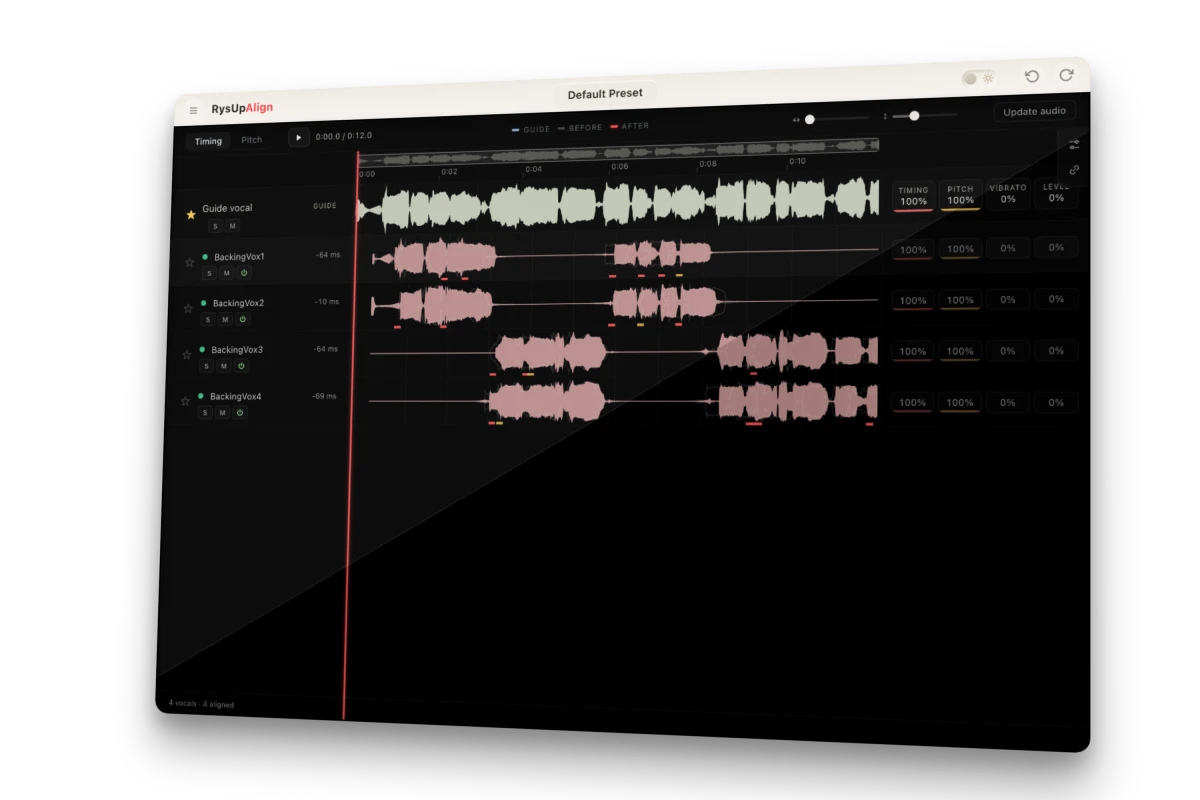
Official interface preview: Rys Up Audio, used with permission.
RysUpAlign (opens in a new tab) addresses another common finishing job: getting doubles and harmonies to sit with the guide vocal. The company describes timing and pitch alignment across vocal stacks, with an interface that places the guide and backing performances together.
For a producer building a chorus, that is a different task from choosing a reverb or brightening the lead. Doubles may have the right tone but arrive at slightly different moments. Alignment gives that relationship its own stage in the workflow, before the stack is treated as a finished group.
Can RysUpConvert move your project into another DAW?
The most distinctive workflow product is RysUpConvert (opens in a new tab), which the official page currently labels version 1.1, now available.
Its promise is an editable destination project, rather than a folder of rendered stems. Rys Up Audio lists nine supported DAW/session formats: Logic Pro, GarageBand, FL Studio, Ableton Live, Cubase, Studio One, REAPER, DAWproject and Pro Tools. DAWproject is an interchange format, not a separate recording application.
According to the company, the converter carries across tracks, audio regions, MIDI notes, tempo information, routing and automation, alongside plugin-chain information. It runs locally on Apple-silicon Macs and Windows, with the original audio copied beside the new session.
For collaborators, that could change the handoff: a producer in one DAW sends a project that the receiving engineer can continue editing in another. It also makes the product relevant to musicians considering a DAW switch but wanting to keep older sessions usable.
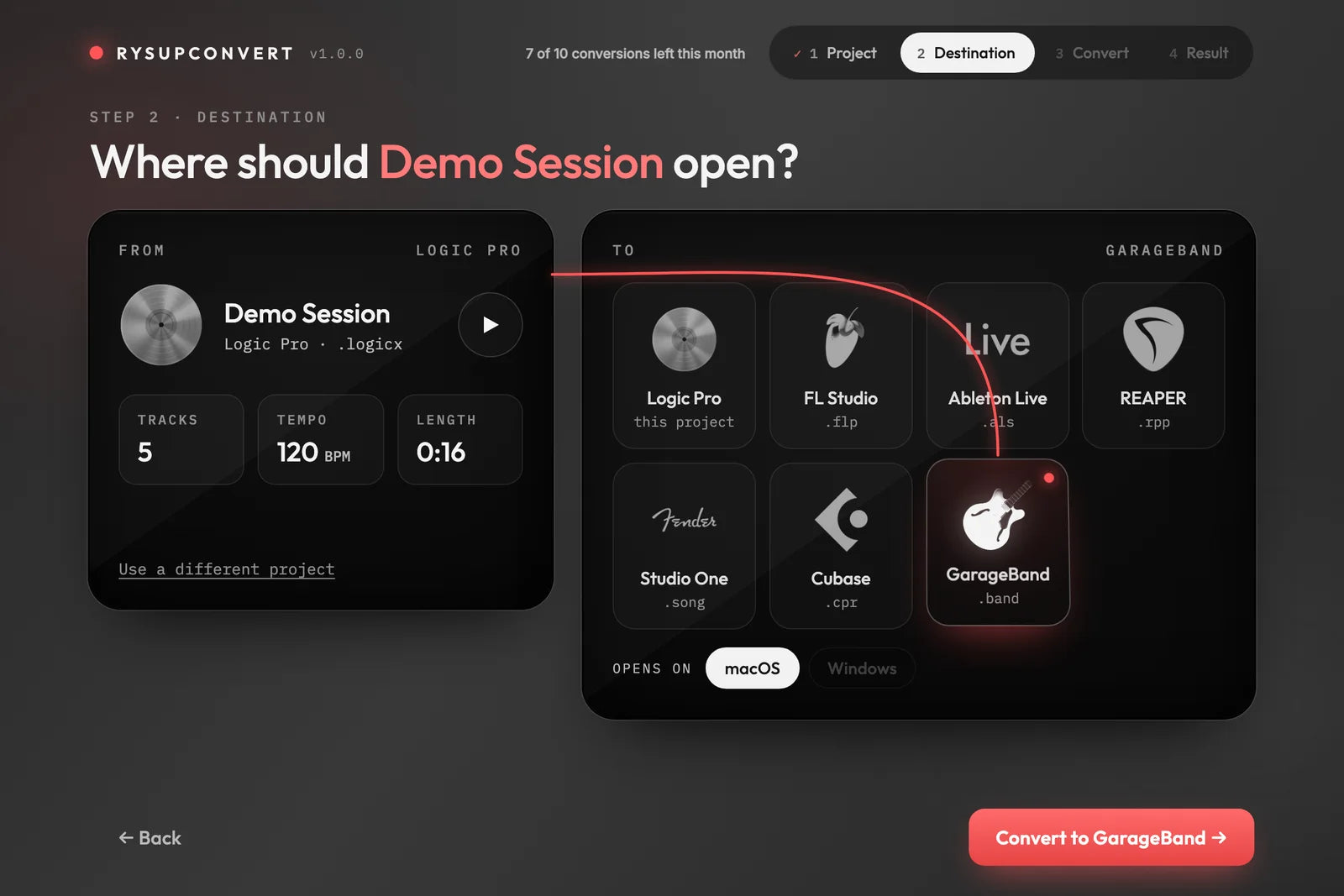
Screenshot: Rys Up Audio, used with permission. The company identifies its published demonstration screens as version 1.0; the current product page advertises version 1.1.
One important distinction remains: a converted project cannot make one DAW’s stock plugins run in another. Rys Up Audio says these arrive as placeholders in their original slots, with settings retained and the conversion report identifying them. The report also lists features the destination cannot hold. Keep the original session and use that report as your handoff checklist; conversion is not a reason to discard the source.
The outright $50 license includes unlimited conversions. Access through the Suite subscription includes ten conversions per month instead. That difference matters if project migration is your main reason for buying.
What if you want a ready-made vocal starting point?
The vocal-preset collection (opens in a new tab) takes a more guided approach: choose a preset built for your DAW and start with a prepared processing chain rather than an empty insert rack.
The company organizes presets by recording software and artist-inspired style. Those names describe the intended sonic direction; they should not be read as proof that an artist created or endorsed the preset.
A useful first stop is the free vocal preset (opens in a new tab). Its page lists stock-plugin versions for Logic Pro, FL Studio, Ableton, Pro Tools, GarageBand, Studio One and Cubase Pro. That is a practical way to explore the company’s approach before choosing individual paid processors. RysUpAir (opens in a new tab) is another free entry point for producers interested in top-end EQ.
What are artists saying about Rys Up Audio?
Rys Up Audio’s artist-feedback panel highlights comments about its vocal tools and presets: getting a usable sound quickly, making vocals feel more finished and saving time on a recording. One featured comment from prod.lxcas reads, “these presets lowkey saved me so much time, i can actually finish songs now lol.”

Artist-feedback screenshot: Rys Up Audio, supplied for this feature and used with permission. These are company-presented testimonials, not independent testing by Sampled.
The common thread is workflow: finding a vocal starting point that helps an artist keep moving from the recording to the finished song. That is especially relevant to the preset collection, where a prepared chain can give you a sound to shape rather than a session to build from scratch.
Should you buy an individual tool or the Suite?
The RysUpSuite page (opens in a new tab) lists a 37-paid-plugin bundle at $249 outright, alongside subscription access advertised at $9.99 per month when billed annually: $119.88 for the year. That annual-billing offer is not a $9.99 month-to-month payment plan. RysUpConvert’s page separately lists a $14.99 month-to-month subscription option.
An individual purchase makes sense when the job is clear: tuning a lead, editing notes or moving projects. The subscription is the broader option for exploring the paid range, with future paid plugins included while the subscription remains active. Check the current checkout and each product’s compatibility before choosing; bundle ownership and subscription benefits are not interchangeable.
The strongest reason to explore Rys Up Audio is not simply the number of tools. It is the connection between them: tune the lead, refine the notes, align the stack, shape the chain and prepare a session another producer can open. Start with the stage that slows your own recordings down, then build from there.