 SAMPLED
Is SoundCraft a Good Free Pro Tools Alternative?
A new open-source DAW built in Rust copies the Pro Tools workflow — Edit and Mix windows, Shuffle and Slip modes, 9.1.6 surround — and costs nothing. Here is what works and what to watch for.
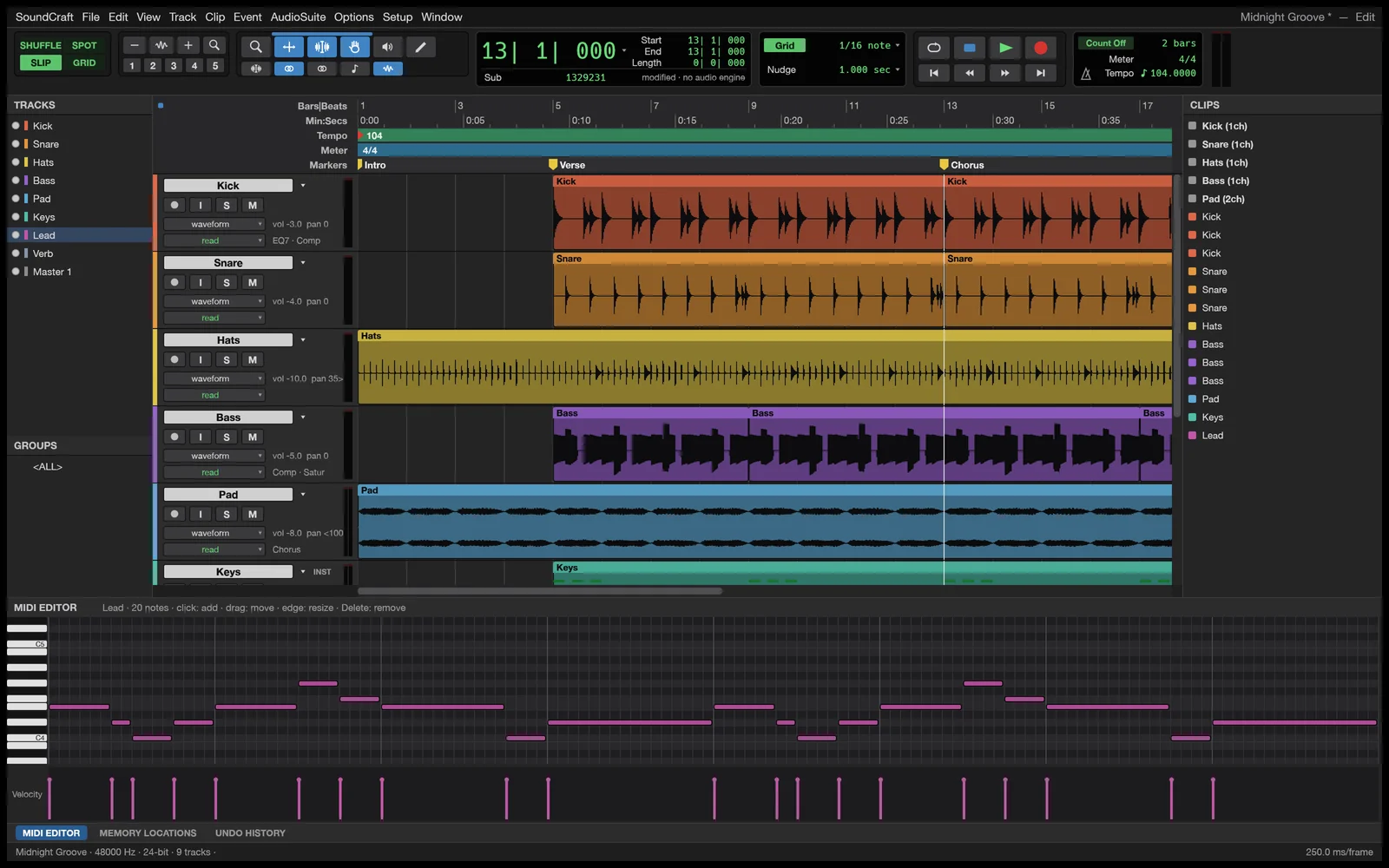
If you learned on Pro Tools but don't want to keep paying for it, a new free app called SoundCraft (opens in a new tab) is worth a look. Its own GitHub page (opens in a new tab) describes it as "an open-source, clean-room reimplementation of Avid Pro Tools in pure Rust." It's part of the ArtCraft family of "Crafting Apps," and it's free under the Apache 2.0 license.
One warning up front: the developers label it "In development." The current download is version 0.5.0 and the code went public on October 7, 2026. Treat it as something to try, not something to trust with a paying client's session yet.
What makes it feel like Pro Tools?
If you've used Pro Tools, you'll recognize it right away:
- Separate Edit and Mix windows, just like Pro Tools.
- Shuffle, Slip, Spot and Grid edit modes.
- Comping playlists for building the best take out of several.
- Memory locations for jumping to Intro, Verse, Chorus and so on, plus a Big Counter window.
- Commands Focus-style one-key shortcuts.
What's in the mixer?
Each track gets ten inserts and ten sends, plus busses, aux inputs, VCAs, routing folders, solo-in-place and automatic plugin delay compensation. Automation uses the familiar Write, Touch, Latch and Trim modes and works on volume, pan, mutes, sends and every plugin setting.
It ships with its own EQ, compressors and other dynamics, reverbs, delays, modulation effects and synths. Outside plugins have to be in the CLAP format. The page doesn't mention VST3, AU or AAX, so many of the plugins you already own may not load yet.
Can it do MIDI and surround?
Yes. There's a piano roll with a velocity lane, step input, quantize and transpose, a notation (score) editor, and an Audio-to-MIDI tool that detects pitch. For post-production work, it does surround panning up to 9.1.6, renders to your speakers live, and has a video track that stays in sync with the playhead.
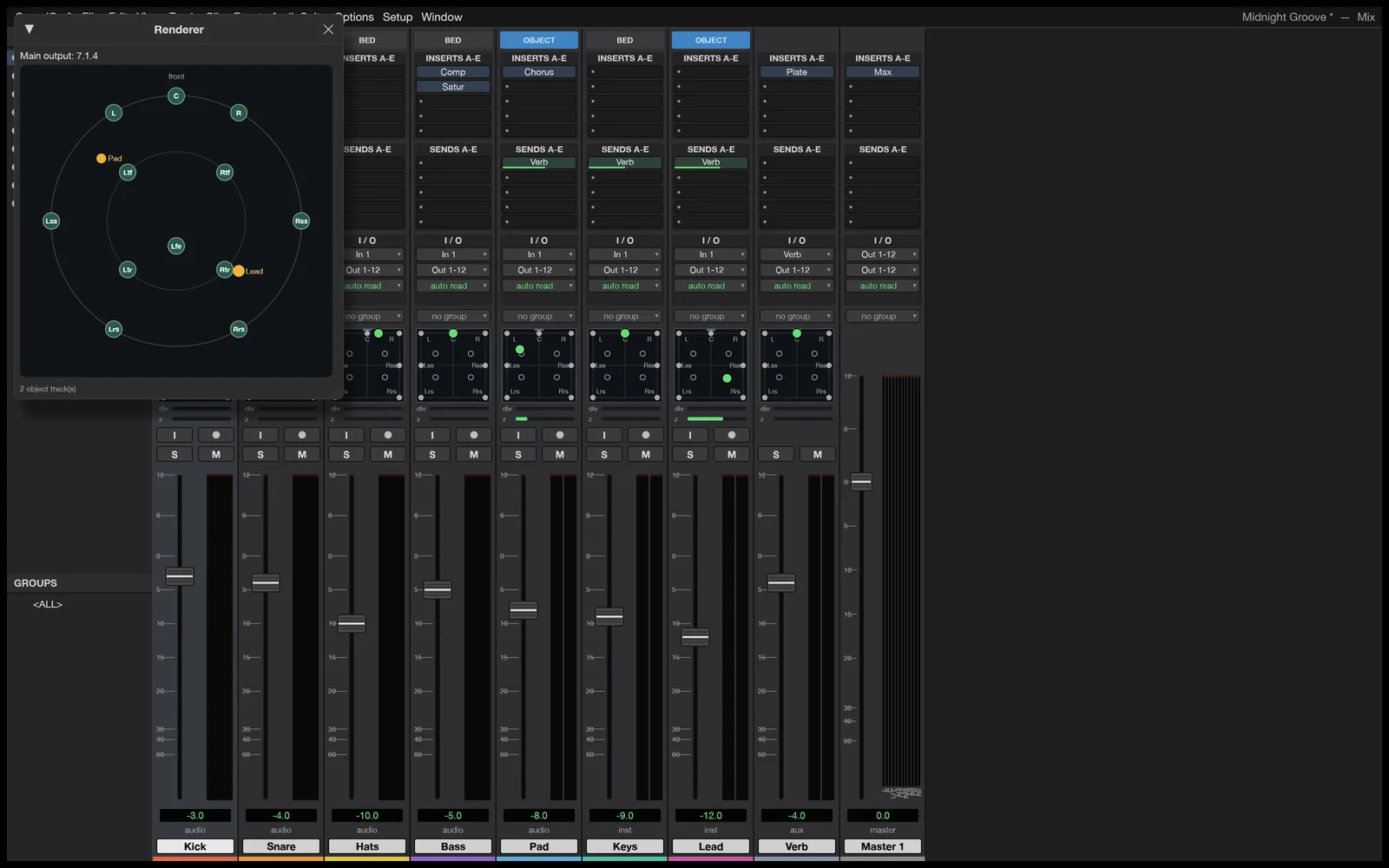 Screenshot: SoundCraft
What computers does it run on?
Pretty much all of them. The site has standalone downloads for:
- Mac: one version for both Apple silicon and Intel Macs.
- Windows: 64-bit, 32-bit and ARM installers, plus "portable" versions you just unzip and run.
- Linux: Flatpak, AppImage, .deb, .rpm and plain archives, on both regular x86 and ARM computers.
There's also an ArtCraft Launcher that installs and updates SoundCraft along with the other Crafting Apps. The site lists a web version too, and there's a command-line version for running jobs from scripts.
Should you switch from Pro Tools?
Not yet for paid work. It's early software, it only loads CLAP plugins, and nobody can say yet whether it will open real Pro Tools sessions or hold up in a long tracking day. Stick with tested tools for client deadlines.
But if you're a student, a hobbyist, or a Pro Tools user who wants to keep the muscle memory without the subscription, it costs nothing to install it and give it a spin. Back up your files, report bugs on the project's Discord (opens in a new tab) or GitHub, and keep an eye on how quickly new versions come out.
Looking for other options? See our roundup of the best free DAWs going into 2027 and our list of free production plugins.