 SAMPLED
What Is Sampledex, and Is It a Good Free DAW for Beatmakers?
Sampledex 0.19.0 drops its AI features and doubles down on the basics: drums, piano roll, sampling, mixing and export, free on Mac with Windows in testing.
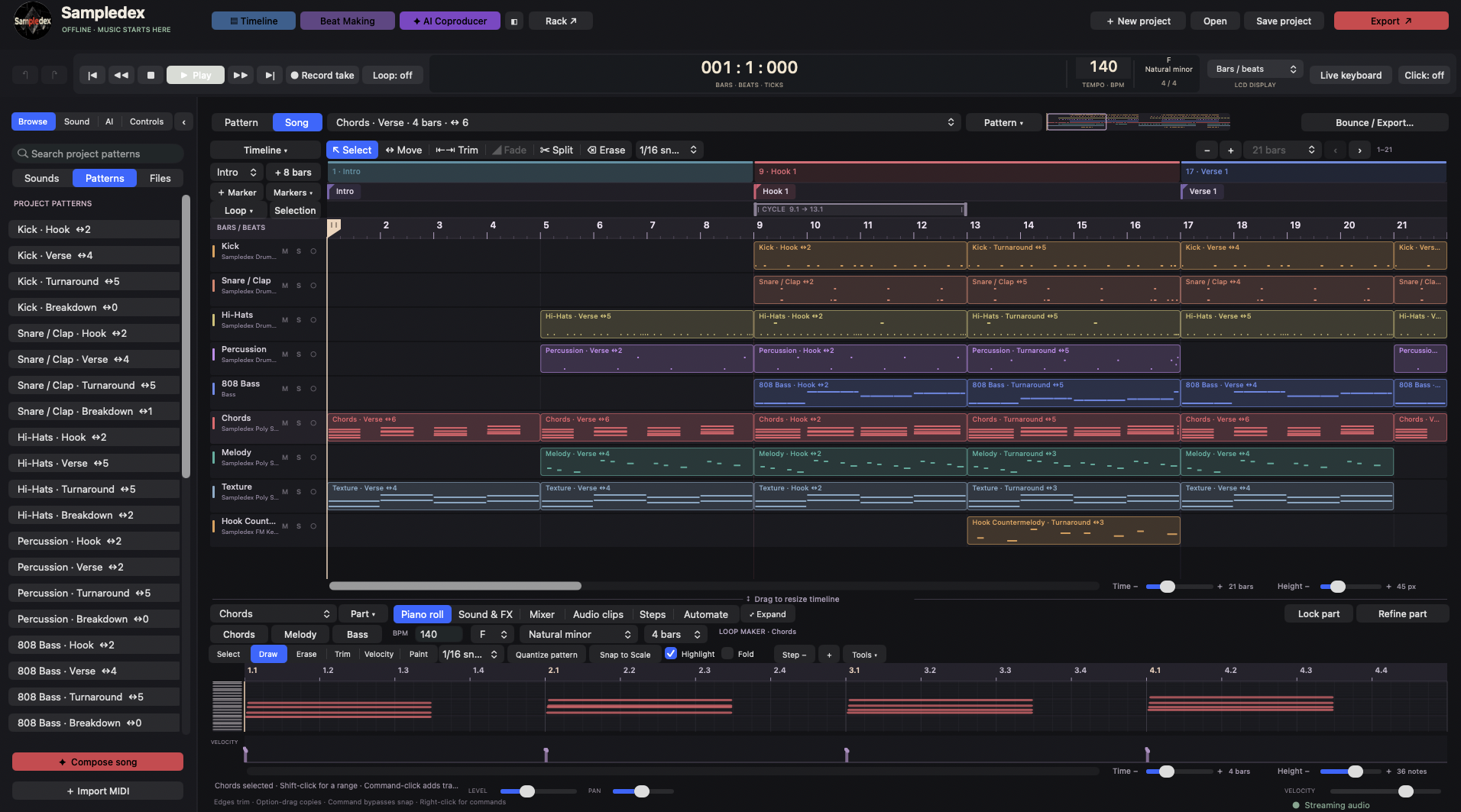
Sampledex calls itself "a DAW made by beatmakers, for beatmakers," and with version 0.19.0 it is leaning hard into that idea. The free beta, released September 27, 2026, removed every AI feature the app used to ship with and put the focus back on the tools you actually touch when you make a beat.
Here is what the app is, what it does well and who it's for.
What is Sampledex?
Sampledex is a free digital audio workstation (DAW) built around beatmaking. You draw drums, shape bass lines, arrange patterns and mix a track, then export it as audio. It's still in beta and it's free to download from sampledex.audio (opens in a new tab).
| Details | |
|---|---|
| Version | 0.19.0 (free beta) |
| Mac | macOS 14 or later, Apple Silicon only |
| Windows | Windows x64, still in beta testing |
| Plug-ins | VST3 and Audio Unit v2 |
| Export | WAV and AIFF |
| Price | Free |
Did Sampledex get rid of its AI?
Yes. According to the 0.19.0 release notes (opens in a new tab), Sampledex removed its AI Coproducer, automatic song and loop generation, the AI panels and buttons, and the AI on/off switch at startup. It also removed the built-in AI engine and language model, which makes the download much smaller.
The sound-design instrument stayed, renamed Sampledex Sound Lab. It keeps its manual controls and factory sounds, but no longer generates sounds with AI. Everything else, including instruments, effects, plug-ins, recording, mixing and export, is still there, and older projects still open.
For producers who were wary of AI in their tools, this makes Sampledex a straightforward, hands-on DAW again.
How do you make a beat in Sampledex?
The workflow follows the order most beatmakers already work in:
- Drums: place hits in named step lanes, then adjust note length, velocity, timing and ratchets.
- Melodies and bass: use the piano roll for bass lines, chords and melodies, with the project key and scale tools right beside the notes.
- Arrangement: build the song from MIDI patterns and audio clips. Linked copies share the same source, and "Make Unique" lets one copy become its own variation.
- Sounds: start with built-in drums, basses, keys and synths, or load your own samples into Sampledex Sampler, which has tuning, envelopes and root-note controls.
The site also has a free 4:56 walkthrough video that builds a full trap beat from a template to a WAV export. If you're brand new, our guide on how to make beats as a beginner pairs well with it.
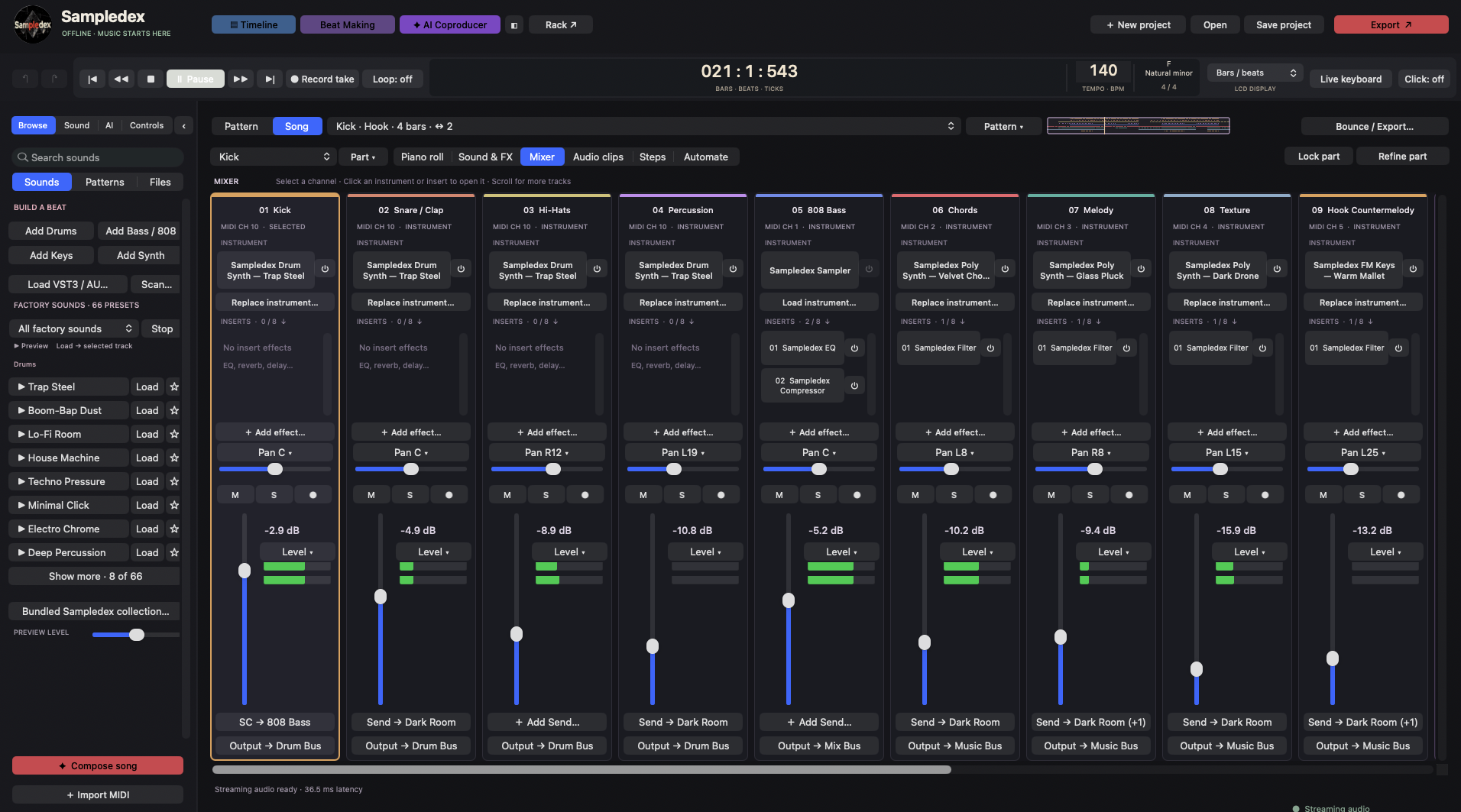 Screenshot: Sampledex
What's new in Sampledex 0.19.0 besides the AI removal?
- Better audio editing: hold Option/Alt at a clip edge to stretch it while keeping its pitch, and get more exact trim, fade, gain, slip and split controls. Each edit is one undo step.
- A tidier mixer: pan, mute, solo, faders and meters stay visible in small windows, and sends can collapse out of the way.
- Drag-and-drop effects: drag an effect to another channel to move it, or hold Option/Alt to copy it with its settings.
- Safer saving: the app now warns you instead of silently losing plug-in settings it couldn't save.
Can Sampledex run on Windows?
Yes, but it's still in testing. The Windows x64 version (Build 54) is available as a test download, and Sampledex warns that it may not work as expected and to read the install instructions first. The good news is that project files now open on both Windows and Mac, so you can move a session between the two.
Not sure your machine can keep up? See what computer you need to run a DAW.
What are Sampledex's limits?
- It's a beta, so expect bugs and changes between versions.
- The Mac version needs an Apple Silicon Mac. Older Intel Macs aren't supported.
- Windows is still in testing.
- Export is WAV and AIFF only, so you'll need another tool if you want MP3s.
Should you try Sampledex?
If you make beats and want a free DAW built specifically for that, yes. The step lanes, piano roll and pattern-based arrangement get you from idea to finished beat quickly, and now there's no AI to switch off. If you need a mature, do-everything studio app, compare it with the options in our best free DAWs guide and our look at whether LUNA is really free.