 SAMPLED
Is Sampledex for iPad a Real Free DAW, and What Can It Do?
Robert Clemons has brought Sampledex from the Mac to the iPad as a free download. Here is what it does, what it can't do, and who it's for.
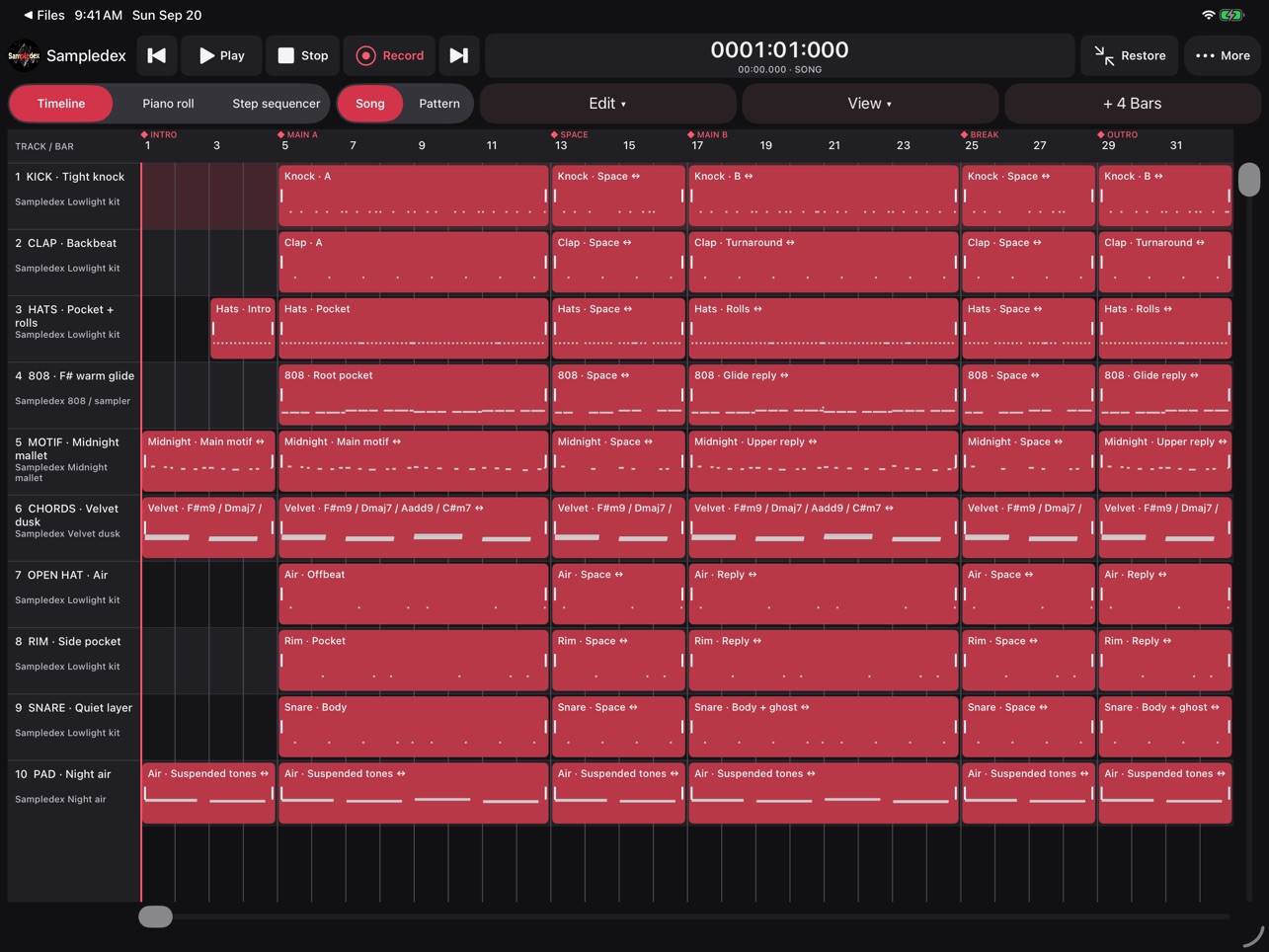
On September 28, 2026, developer Robert Clemons released Sampledex DAW for iPadOS, a free download on the App Store (opens in a new tab). Until now, Sampledex only ran on Apple Silicon Macs. The iPad version puts recording, beat-making, sound design, mixing and export into one touch screen workspace, as first reported by The Beat Community (opens in a new tab).
The short answer: yes, it's a real DAW, and it's free. No account, no subscription and no online AI service is required. But there are clear limits, and it helps to know them before you plan a session around it.
What can you do in Sampledex on iPad?
You can start from a blank project or an editable beat template, then build a full arrangement with the sounds and instruments that come with the app.
- Piano roll and drum sequencer. Draw notes in the piano roll or paint rhythms in the step sequencer. Change note length, tempo, key and scale, quantize a performance, snap notes to a scale, or add triads based on the scale.
- Arranging. Move, trim and duplicate clips across tracks, with undo and redo.
- Sampling. Import audio and MIDI files, play pitched samples, or chop a sound across pads.
- Clip editing. Adjust clip gain, add fades, join clips on a track, or bounce selected parts from several tracks into one audio stem while keeping the originals editable.
Can you record vocals and instruments on it?
Yes. You can record through the iPad's built-in mic or a compatible audio interface, and capture MIDI from a compatible keyboard or controller. Recordings land as editable clips on the timeline.
The catch: recording happens one take at a time, either one mono or stereo audio input, or one MIDI instrument. It also only records while the app is open on screen, and you need to extend the arrangement before recording anything long. That's fine for vocals and ideas, but it's not built for tracking a full band.
What sounds and effects come with it?
The app includes drums, sampled 808s, a Poly Synth, M Keys and an AI Synth, with controls for oscillators, filters, envelopes, tuning and modulation. You can design each drum pad on its own, and a pitch readout helps you tune 808s and other tonal sounds.
For mixing, you get levels, pan, buses, sends and automation, plus built-in EQ, compression, limiting, reverb, delay, filter, saturation, chorus, bitcrusher and a rhythmic gate, on single tracks or the master.
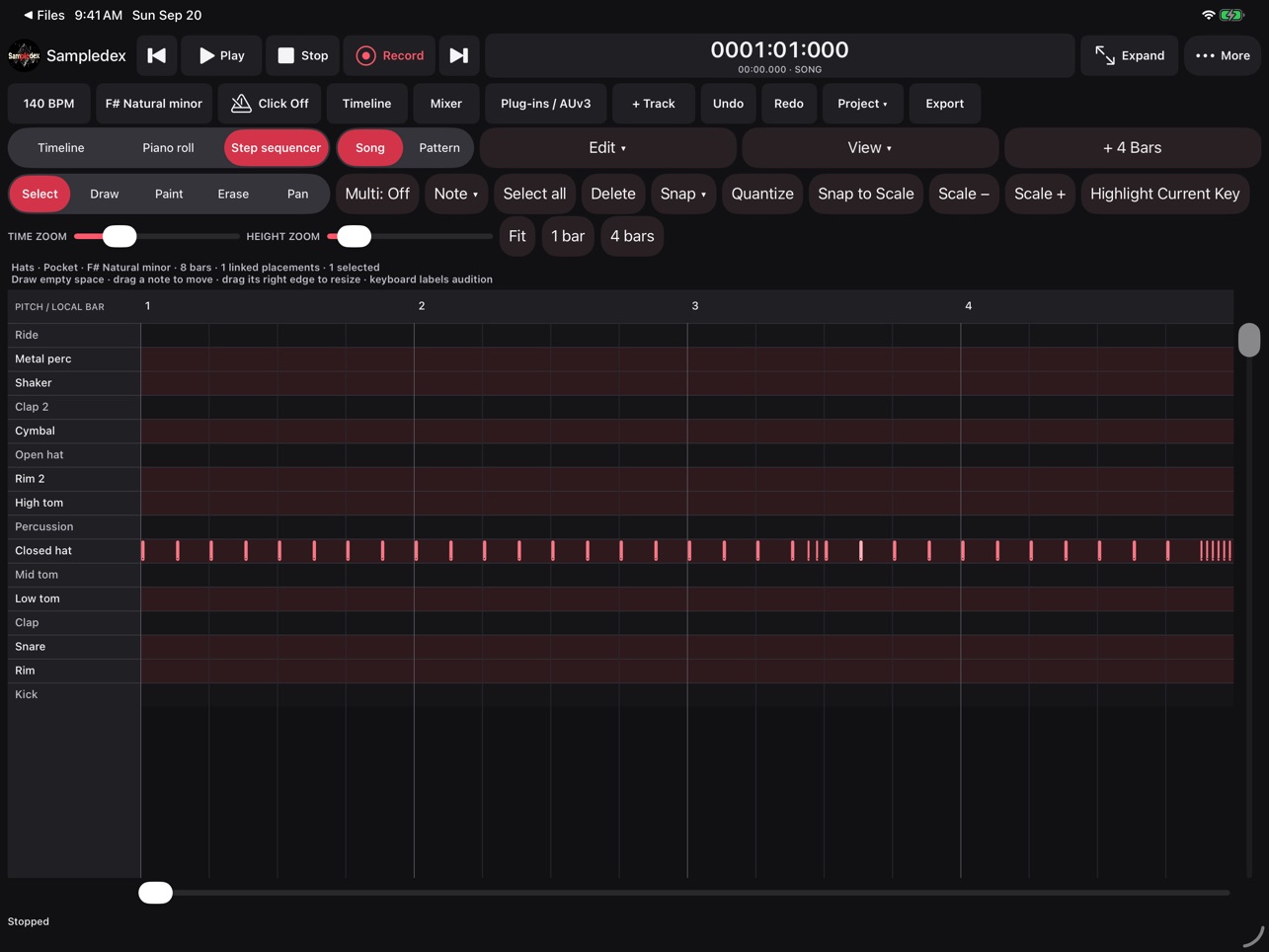 Screenshot: Sampledex
How does the AI in Sampledex work on iPad?
The AI Synth runs on the iPad itself. You can ask for instant variations of a sound, or describe the sound you want in words. You audition each suggestion and keep or discard it, and "parameter locks" protect settings you don't want changed.
Just as important is what it doesn't do: it designs instrument sounds only. It does not write beats, notes, loops or songs. No account, API key, model download or online service is needed. If you've followed the Mac version, this matches the direction of the Sampledex 0.18.2 update, which lets you switch AI tools off completely.
Can you use plug-ins?
You can load compatible AUv3 instruments and effects already installed on your iPad, with their own editors when available and basic controls otherwise. Desktop VST3 and AU v2 plug-ins do not run on iPad.
The iPad and Mac versions are not connected yet, so projects made on a Mac don't open on the iPad right now. Treat the iPad app as its own sketchpad for now.
What file formats can you export?
You can export full mixes and single stems as WAV, MP3 or M4A. WAV gives you lossless files with stems lined up to the sample, which is what you want for mixing engineers or collaborators. You can also export MIDI for the whole arrangement or single tracks, or share a portable Sampledex project with its audio and session data.
Autosave keeps drafts in your library, including unnamed ideas. You can Save, Save As, and turn your own projects into templates.
What do you need to run it?
Sampledex needs iPadOS 17 or later. External audio and MIDI gear must work with iPadOS, and AUv3 features depend on each plug-in.
If you're working on the go, a set of earbuds works for building beats and checking how a mix translates, as covered in our look at BMANI wireless earbuds for mobile music-making. Just keep in mind Bluetooth adds delay, so use wired headphones or an interface when recording.
Is Sampledex for iPad worth downloading?
If you have an iPad that runs iPadOS 17, there's little reason not to try it. It costs nothing, doesn't make you sign up, and covers the full path from idea to exported WAV. Its limits are one recording at a time, no desktop plug-ins, and an AI that only designs sounds. Those are fair tradeoffs for a free app, and for beat-makers who sketch away from the studio, the Mac-to-iPad project sharing may be the best part.
For more options, see our guide to the best free DAWs in 2026.