 SAMPLED
What Is Sampledex Effect Shift for iOS, Windows and macOS?
Free creative effects for iPhone, iPad, Windows and macOS, with 50 effects, Bender EQ and early iOS community attention. Download links and a practical starting workflow.
Disclosure: The Author owns Sampledex (DBA) and separately owns and operates Sampled. Sampled is a separate business and is not a division, product, or subsidiary of Sampledex or its parent company.
A free plugin is easy to download. Getting someone else to pass its link around is a different kind of milestone. Sampledex Effect Shift, a multi-effect available for iPhone, iPad, Windows and macOS, has appeared on The Beat Community (opens in a new tab) and in an iOS audio production Facebook group (opens in a new tab). For producers looking for a new way to roughen a drum loop, animate a synth or give a melody more depth, it is worth understanding what the tool actually offers.
This is Gear coverage of a product we own, not an independent hands-on review. The community material shows early discovery and sharing; it does not establish a large following or prove how any promotion was funded.
What is Sampledex Effect Shift?
On iPhone and iPad, Effect Shift is a free AUv3 audio effect. Desktop editions are also available: Windows uses VST3, while macOS offers VST3 and AU, plus a standalone application. AUv3 is the plugin format that lets compatible iOS music hosts load an effect inside a session, rather than requiring you to export audio to another app. The App Store listing (opens in a new tab) describes 50 effect choices, 51 factory presets, seven macro controls and a seven-band Bender EQ.
Its effects cover drive, digital textures, filters, chorus, flanging, phasing, tremolo, ring modulation, delay and reverb. Think of it as a small effects rack with a shared control surface: change the character of the sound without constantly learning a new panel.
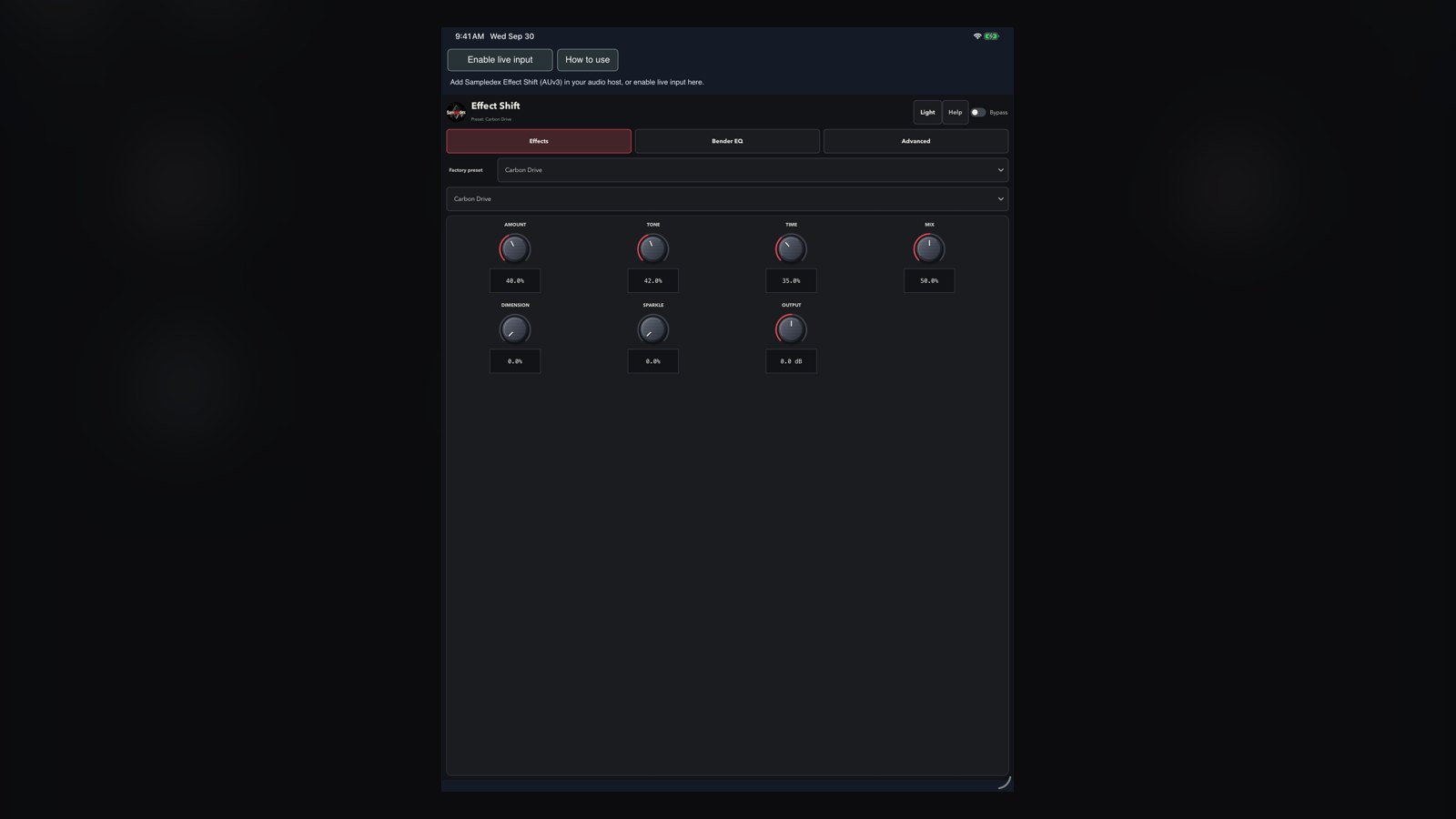
The seven macros are Amount, Tone, Time, Mix, Dimension, Sparkle and Output. Their names give you a consistent set of controls to explore while listening to the chosen effect. There is a Default preset plus a starting sound for each of the 50 effects.
A useful distinction: a factory preset recalls a complete sound; the separate effect menu changes the algorithm while retaining your other settings. Use presets when you want a ready-made starting point and the effect menu when you want to compare different directions without resetting everything.
Where can you download Effect Shift for Windows and macOS?
Effect Shift is not limited to mobile production. The official Windows product page (opens in a new tab) and macOS product page (opens in a new tab) both list the download at $0.00, checked on November 17, 2026. Choose the edition that matches your computer and music software.
- Windows download (opens in a new tab): VST3 format. Requires Windows 10 or 11, a 64-bit x64 system and a VST3-compatible 64-bit DAW.
- macOS download (opens in a new tab): VST3 and AU formats, with a standalone application included. Requires Apple Silicon M1 or later with macOS 11 or later, or a 64-bit Intel Mac with macOS 10.13 or later. Plugin use requires a compatible 64-bit DAW.
Both desktop listings describe 50 selectable effects, seven macro controls and seven-band Bender EQ. They also list HoloRune character modes, spatial processing, flexible EQ routing, selectable 1x/2x/4x oversampling, preset saving and a resizable interface with light and dark themes. External sidechain ducking depends on a compatible host and a routed sidechain signal.
For a first session, download the matching desktop edition, follow its included installation instructions, then load its supported plugin format on one track in your DAW. Start with a familiar loop, adjust Amount and Mix, and compare at a similar output level—the same listening approach used in the mobile workflow below. The community post and ratings discussed here refer to the iOS release, not separate reviews or ratings of the desktop editions.
What does the community response actually show?
The Beat Community covered the free release on October 5, 2026, outlining its effects, EQ, presets and AUv3 workflow. That is third-party release coverage, not a scored review or a documented listening test.
The screenshot supplied to Sampled shows Gregor Lepianka posting an App Store link in the “iPadOS & iOS AudioUnits - Audio Unit version 3 - AUv3” group on October 5 with the short comment “Cool one.” The captured post displays 10 reactions and one comment. In that comment, Bill Sherry writes “Added to Google Sheet…” and links a sheet labeled “(iPad) iOS Audio Apps.”
That is a concrete example of a musician-community discovery loop: someone shares a tool, someone else adds it to a resource list, and more people have a route to finding it. The counts describe the supplied screenshot, not live engagement totals. We have not independently inspected the linked spreadsheet.
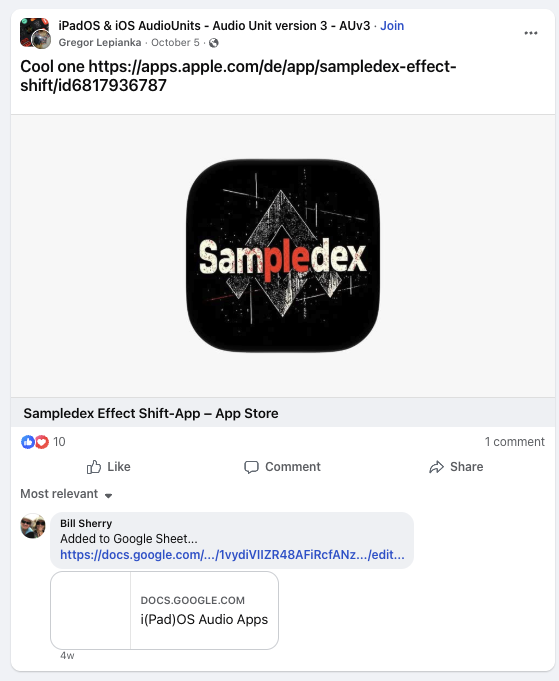 Screenshot: Facebook community post, supplied to Sampled. App artwork: Sampledex. Reaction and comment counts reflect the supplied capture.
What is its rating?
As checked on November 16, 2026, AppBrain reports 5.00 out of 5 from two ratings (opens in a new tab). The App Store result also lists 5.0 from two ratings.
That is a positive early signal, but two ratings are a small sample, not a broad verdict. AppBrain is an independent listing service, not the developer, and its page does not provide enough comments to show example reviews. Neither that score nor the Facebook reactions measures downloads, active users or the size of a following.
How do you try the iOS version on a track?
Start with one familiar loop. You will hear the effect more clearly than you would inside a crowded arrangement.
- Download the app and check your host. Get Effect Shift from the App Store (opens in a new tab). Your music app must support AUv3 audio effects to load the extension; check the current store compatibility information for your device.
- Insert it on one audio track. Try drums, a synth part or a melody you know well. Keep the untreated version available for comparison.
- Choose a factory preset. Pick a starting sound, then adjust Amount and Mix while listening. On drums, explore drive or digital texture; on a sustained synth, try chorus, phasing or tremolo; on a melody, try delay or reverb. These are suggested experiments, not factory-preset names.
- Compare algorithms without starting over. Use the effect menu to change the algorithm while keeping the other settings. Listen to the same phrase each time.
- Refine the tone with Bender EQ. Adjust the frequency, gain and Q of a selected band. Make one deliberate change at a time rather than moving every control at once.
- Check the level and save. Use Output to keep your comparison reasonably level-matched: louder can sound better even when the processing is not helping. Save your preferred sound as a preset, then listen again in the full mix.
The aim is not to use all 50 effects. It is to find one change that gives your part a useful identity.
What makes Bender EQ useful?
Bender EQ provides seven colored band curves with numbered handles, direct frequency, gain and Q controls, Fine mode for smaller movements, and drag locks for frequency or gain. High-pass, low-pass and Prism controls add further shaping options.
EQ A/B lets you compare two EQ settings and copy a preferred setting to the other slot. For a beginner, that is a practical way to ask, “Did this change actually help?” For an experienced producer, it gives you a way to compare two tonal directions before committing. Our guide to EQ in music explains the basics.
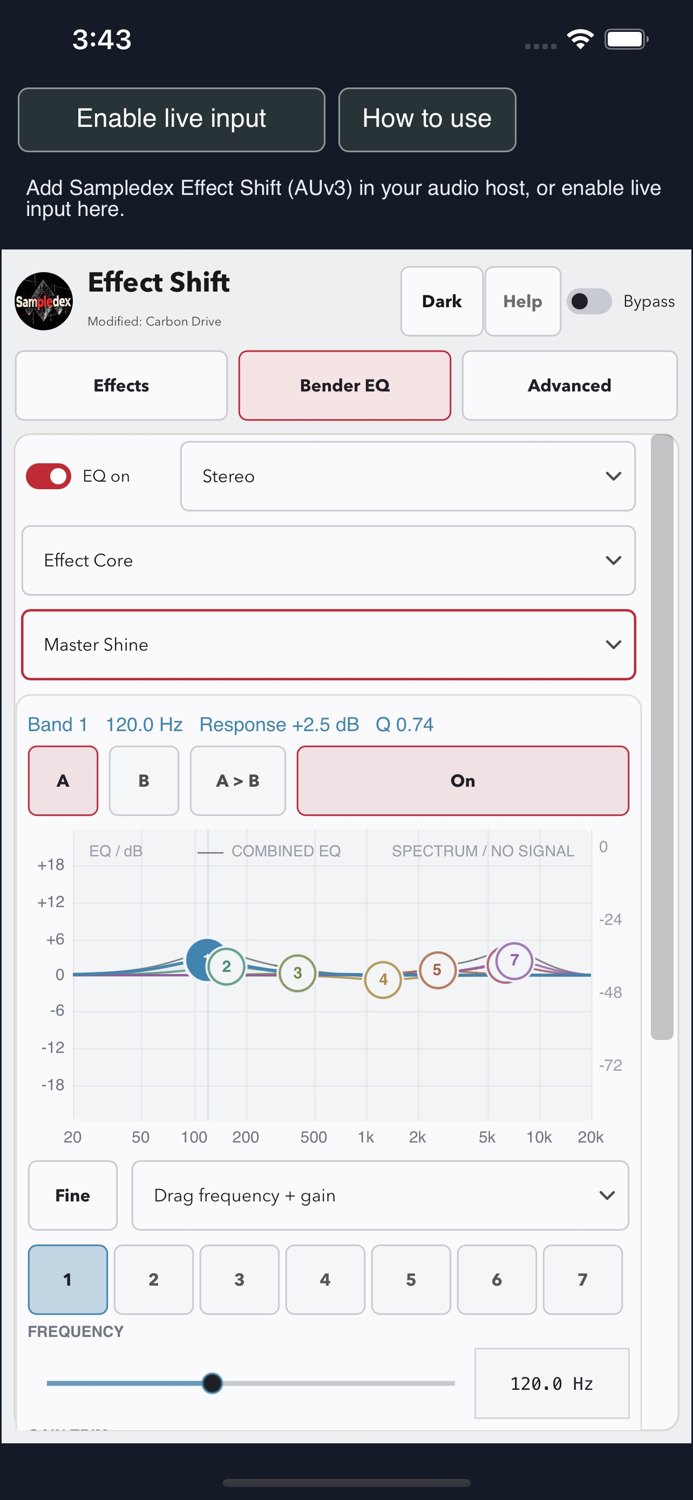 Screenshot: Sampledex.
Can you use it without an AUv3 host?
The containing app supports live input processing. Connect headphones or an audio interface, then enable live input; microphone permission is requested when input is enabled. When you load the extension inside a host, that host manages the audio instead, and each plugin instance retains its sound in the host’s project state.
The Advanced page offers HoloRune character, spatial modes, EQ routing, parallel mix and Mid/Side levels. External sidechain ducking requires both a compatible host and a routed sidechain source. Preset import and export let you move saved sounds between workflows.
Who is it for?
Effect Shift makes sense for producers on iPhone, iPad, Windows or macOS who want several creative processing options in one free tool: character for drums, movement for synths and space for melodic parts, with EQ available to shape the result.
The community post and early ratings are reasons to investigate, not a substitute for listening. The stronger reason to download it is straightforward: you can try a range of effects on your own material without paying for the app. Start with one loop, save one useful preset and decide whether it earns a place in your next session.
For more starting points, explore the Sampledex DAW for iPad and our free plugins guide.