 SAMPLED
How Can Sampledex Help You Make Your Own Samples?
A DAW made by sample makers, for sample makers. Sampledex brings chords, melodies, textures and stems into a creative workflow—with new free builds for Mac and Windows.
Disclosure: The Author owns Sampledex (DBA) and separately owns and operates Sampled. Sampled is a separate business and is not a division, product, or subsidiary of Sampledex or its parent company.
Make the sample someone else wants to build a beat around. That is the creative invitation behind Sampledex: a DAW made by sample makers, for sample makers.
A few chords can become a moody loop. A melody can become the centerpiece of a collaboration. A sound you shape yourself can give a track its identity. Sampledex puts that kind of work at the center of the session: composing original loops, melodies, phrases, textures and stems, rather than treating sample making as an afterthought.
And there is fresh momentum behind it. On November 1, 2026, Sampledex released 0.20.0 Build 73 for Mac and 0.20.0 Build 72 for Windows, both available as free downloads at Sampledex.Audio (opens in a new tab).
The bigger story is not the build number. It is what you could make next.
What makes Sampledex a DAW for sample makers?
Sampledex’s starting point is the musical building block: the phrase, loop or texture that sparks a bigger idea. Founded by Robert Anthony of Robert Anthony Studios, it brings writing, layering, sound shaping and exporting into a workspace built around making those pieces.
Think about the difference between finding a loop and creating one. When you create it, you choose the chords. You decide whether the melody is sparse or busy. You can leave room for drums, build tension with a bass line or add a texture that makes the whole phrase feel different.
That is the appeal here: you are not just choosing material. You are composing the material.
The workflow includes piano-roll writing, a sampler with tuning and envelope controls, audio timing and fades, a mixer, automation and stem export. Those tools give you several ways into an idea, whether you begin with notes or a sound you want to reshape.
What could you create in your next session?
A melodic loop with your own personality
Start with a chord progression, then write a melody that gives it a point of view. Use scale guidance as a reference and note velocities to shape how the phrase plays. Add a countermelody only where it earns its place.
You do not have to fill every bar. A strong four-bar phrase with space can be a more interesting starting point than a crowded arrangement. The goal is to make something another producer can hear possibilities in—or something you want to develop yourself.
A sound that becomes an instrument
Sampledex Sampler lets you load a sound and shape it with tuning and envelope controls. That opens a different route into writing: begin with a sound’s character, then build the musical part around it.
Try a short sound for a plucked phrase, or shape a longer one into a softer layer. These are creative starting points, not rules. The interesting part is deciding how that sound belongs in your music.
A texture that changes the mood
A loop does not need another lead to become more expressive. Sometimes it needs a quiet layer that moves underneath everything else.
Combine keys, bass, melody and texture, balance them in the mixer and use automation to introduce movement across the phrase. Bring a layer forward for a moment, then let it fall back. Make the second half answer the first.
Give the loop a little story before it ever becomes a full song.
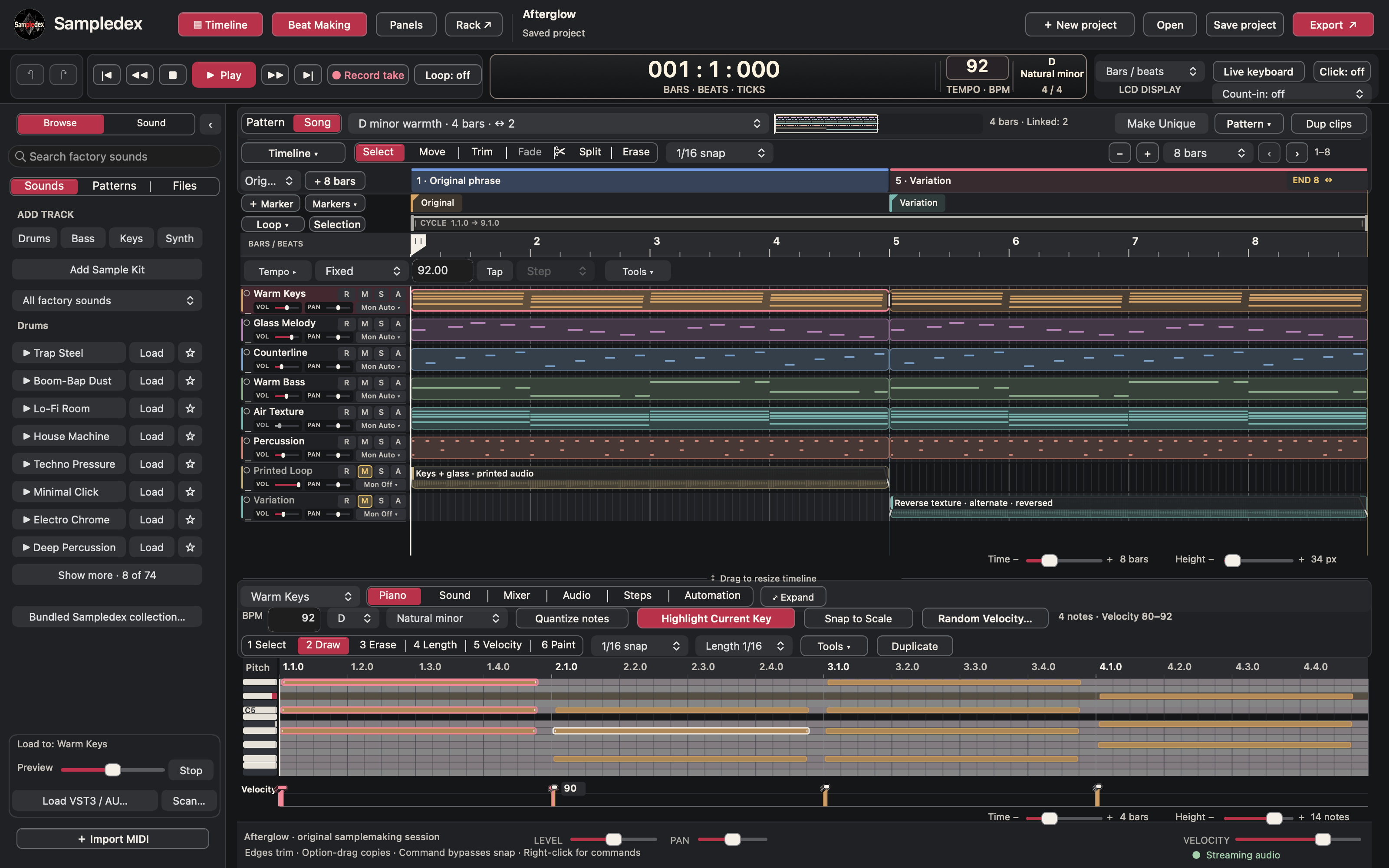
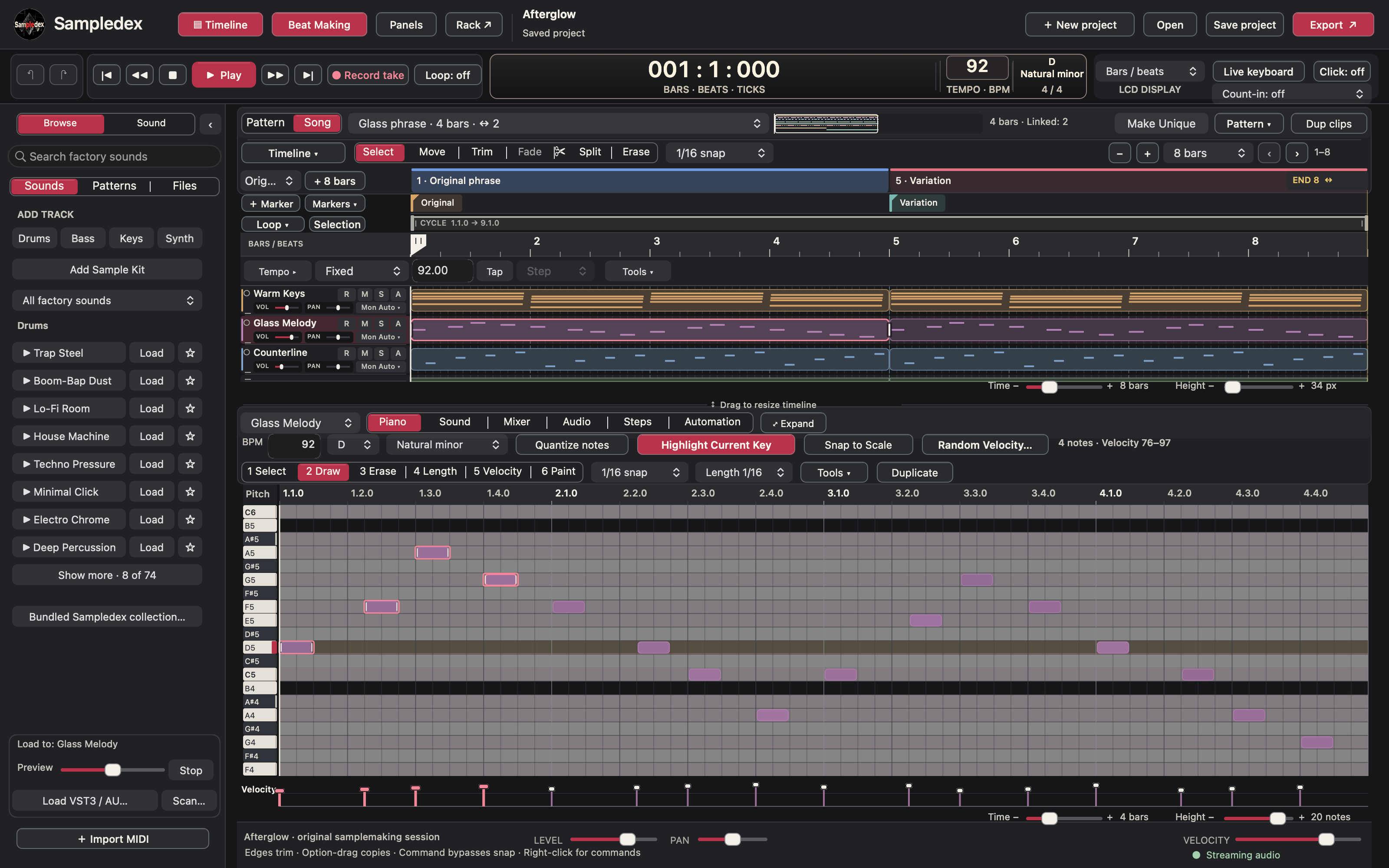 Screenshot: Sampledex — macOS workspace.
How do you turn one idea into several possibilities?
Writing the first phrase is only the beginning. Sampledex’s workflow lets you keep an original musical layer alongside printed audio you can reshape, with timing, trim and fade controls for working on the result.
That invites a useful creative habit: make the idea, then make an alternate version.
Keep one version clean and open. Give another a different texture or arrangement. Drop the bass out of one passage. Let a countermelody carry another. Instead of immediately searching for a new starting point, explore the one you already made.
Here is a session idea:
- Write a short chord loop. Choose a mood before adding more parts.
- Add one memorable phrase. Aim for a melody that works without a crowded backing.
- Give it a foundation. Add bass and just enough percussion to suggest the groove.
- Introduce movement. Use a texture or automation to change the energy across the loop.
- Print a version and make a variation. Keep the original available while exploring another direction.
- Export the useful pieces. Save the full idea and the separate layers you want to work with later.
That is a suggested creative exercise, not a required process. Start wherever the music starts for you.
Why do separate stems matter for sample makers?
A stereo loop gives someone the whole picture. Separate stems give them room to rearrange it.
Sampledex’s stem-export workflow includes separate aligned WAV output for selected tracks. That can be useful when you want to hand a collaborator the keys, melody, bass and texture as individual layers rather than one combined file.
They might love your melody but want a different bass line. You might revisit the session later and build a new beat around only the chords. Keeping the layers separate gives the idea more places to go.
If you are building material for a sample pack, think beyond the main loop: what would make that idea easier for another producer to use? A strong full version and thoughtfully chosen separate layers are a practical starting point. Exporting a sound does not itself determine its licensing terms; use material you have the rights to share.
What do the new Mac and Windows builds bring to the creative process?
The new Mac build focuses on keeping the session moving when you work with plug-in instruments. Sampledex reports parallel track processing, fewer instrument reloads during track and effect edits, and improvements to preset changes during playback. For a layered sample, that work is aimed at keeping the sounds available while you shape the idea.
The new Windows build puts more emphasis on editing: clearer piano-roll tools, note drawing and erasing, timeline fades and adjustable arrangement-lane height, alongside a refreshed charcoal-and-crimson workspace.
The full technical details are on the official release page (opens in a new tab). The creative takeaway is simpler: one update concentrates on continuity while working with instruments; the other gives note and audio editing more attention.
Where can you get Sampledex and start creating?
Download the new free desktop builds from sampledex.audio/releases (opens in a new tab):
- Mac: Sampledex 0.20.0 Build 73, for Apple Silicon Macs running macOS 14 or later.
- Windows: Sampledex 0.20.0 Build 72, for Windows x64.
Both are beta releases; Windows is an unsigned test build. Use the installation guidance supplied with your download and keep copies of important projects. The images in this article show the Mac workspace; features differ by platform.
Then give yourself a creative assignment: make one sample you would be excited to hear someone flip. Not an entire album. Not a folder of unfinished sessions. One phrase with a mood, a melody and a reason to play it again.
Sampledex’s invitation is to become the person making those starting points. Write the chords. Shape the sound. Build the texture. Leave space for what comes next.
A DAW made by sample makers, for sample makers—and a reason to make something of your own today.