 SAMPLED
What Is the Best MIDI Keyboard Controller in 2026?
What a MIDI controller actually does, the four specs that matter, and five keyboards worth buying — from a 25-key first controller to a 37-key sequencer that runs without a computer.
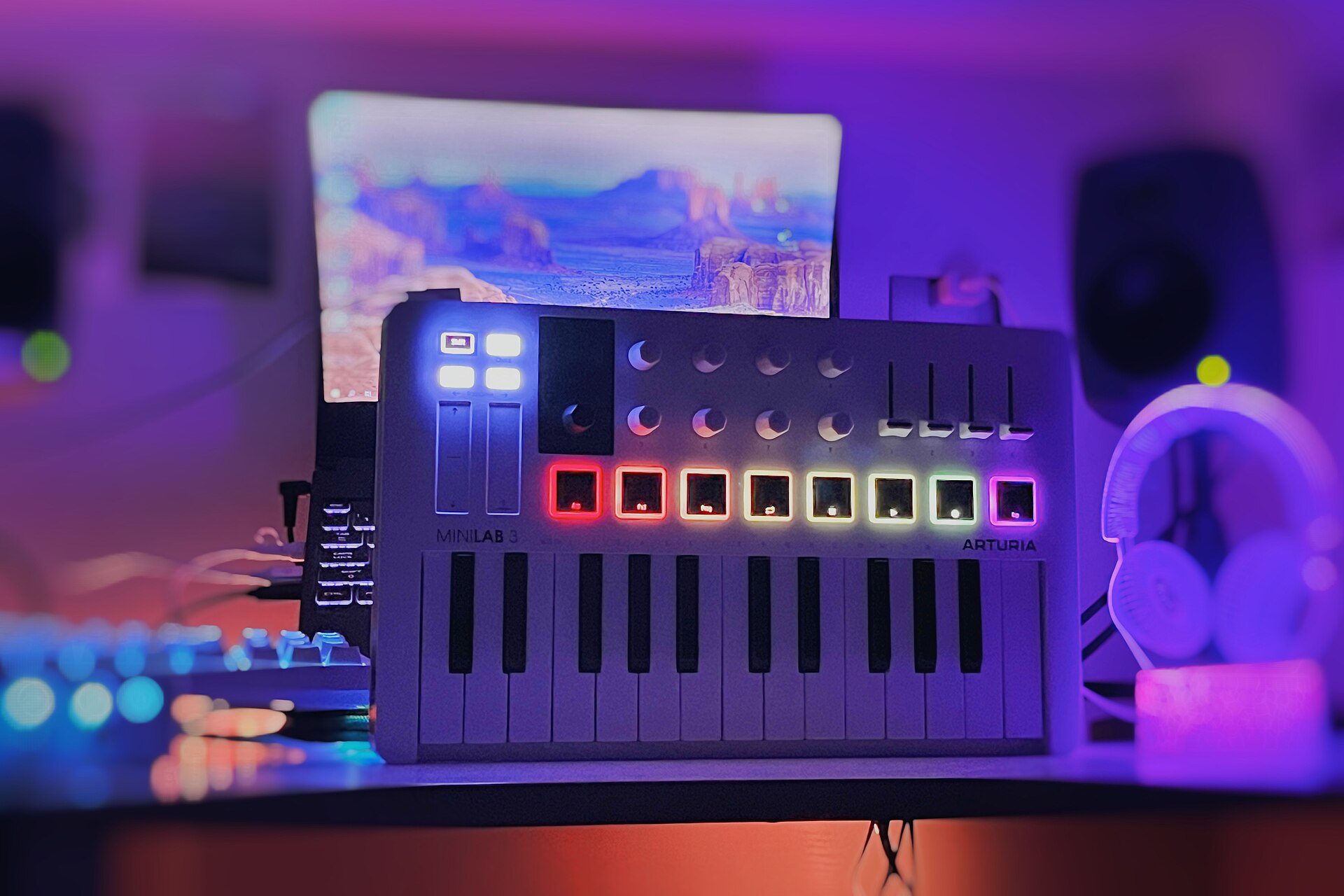
A MIDI keyboard is the cheapest upgrade in music production that actually changes how you write. Not because it makes better sounds — it makes no sound at all — but because it moves you out of the mouse. Notes you play with your hands land differently than notes you draw with a cursor: the timing breathes, the velocities vary, and you stop editing before you've finished having the idea.
This guide covers what a MIDI controller really does, the four specs that matter, and then five controllers worth buying in 2026 — two from Arturia, two from M-VAVE, and the 37-key Akai that quietly turned into a standalone sequencer. For each one you get what it is, who it's for, and a straight answer on whether to buy it.
What a MIDI keyboard controller actually does
A MIDI controller sends messages, not audio. Press a key and it transmits a note number (which pitch), a velocity value from 1 to 127 (how hard), and a note-off when you let go. Turn a knob and it sends a continuous controller (CC) number and a value. Hit a pad and it sends a note on a drum-mapped channel. Your DAW receives those numbers and hands them to a plugin, which makes the sound.
That distinction explains three things beginners get stuck on:
- A MIDI keyboard has no speakers and no headphone jack (with rare exceptions). Sound comes out of your computer's interface, so you still need an audio interface or at minimum your laptop's output.
- MIDI data is editable forever. A recorded MIDI part can be transposed, quantized, re-voiced, or moved onto a different instrument after the fact. Audio can't, not without a fight.
- The "sound" of a controller is really its keybed and its velocity curve. Two keyboards playing the same piano plugin sound different because they translate your hands into velocity numbers differently.
Most controllers connect over USB class-compliant MIDI, meaning no drivers: plug in, and your DAW sees it. Some add Bluetooth (BLE MIDI) for wireless, and some add a 5-pin MIDI DIN or CV/gate jacks so they can drive hardware synths without a computer at all — a distinction covered in more depth in our piece on MIDI, CV, and gate.
The four specs that matter (and the ones that don't)
1. Key count and key size. 25 keys is two octaves — fine for basslines, chords, and one-handed melodies, and it fits in a backpack. 49 keys is where two-handed playing starts to feel natural: left-hand chords, right-hand melody, no octave-button gymnastics. Separately, keys are either mini/slim (shorter front-to-back, common on 25-key units) or full-size (standard piano width). If you have any piano training, full-size matters more than key count.
2. Velocity sensitivity and aftertouch. Velocity is non-negotiable; every keyboard here has it. "Semi-weighted" describes resistance, not hammer action — no controller in this price class feels like a real piano. Aftertouch (extra data when you press into a held key) is a bonus that unlocks expressive vibrato and filter sweeps on synth plugins.
3. Pads, knobs and faders. Pads make finger-drumming and clip-launching feel like an instrument instead of data entry. Knobs edit plugin parameters and mix automation. Faders — usually four of them — are the difference between mixing with a mouse and mixing with your hands. Look for pre-mapped DAW integration, because eight knobs that require an hour of manual MIDI-learn are eight knobs you'll stop using.
4. What runs without the computer. Onboard arpeggiators, chord modes, scale modes, sequencers, and 5-pin MIDI or CV outputs decide whether the keyboard is a computer accessory or a piece of standalone gear.
What matters less than the marketing suggests: bundled software totals ("$500 of plugins!" usually means intro versions), pad count beyond eight for most producers, and RGB lighting.
1. Arturia MiniLab 3 Mint Edition — the best all-round first controller
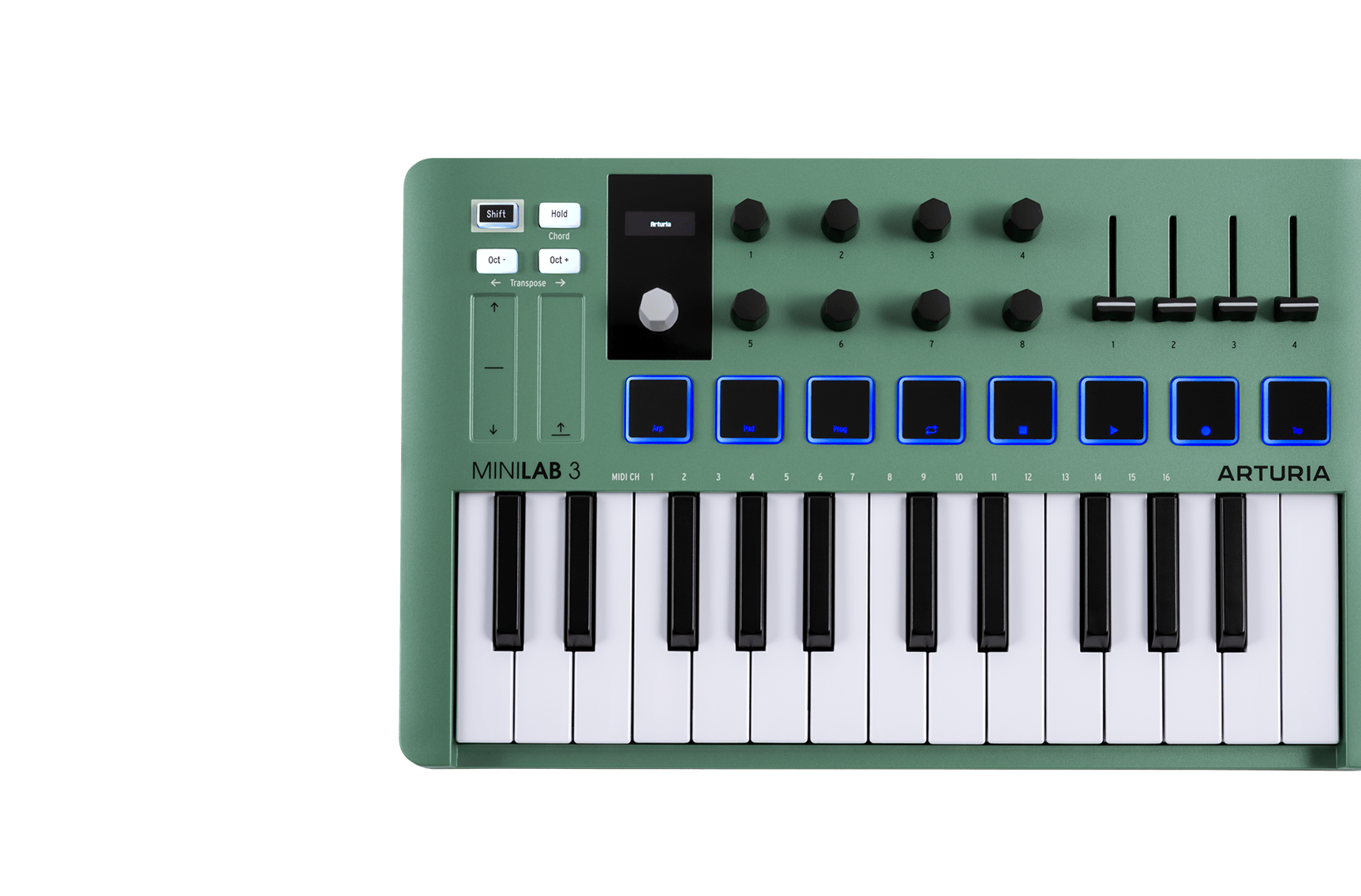
Arturia MiniLab 3 — Limited Edition Mint Green, 25 keys → (opens in a new tab)
The MiniLab 3 is the controller most producers should buy first, and the Mint Edition is the same machine in a limited-run mint green enclosure with RGB pads. Arturia announced the color in October 2024; the hardware is unchanged.
What you get on the surface: 25 velocity-sensitive slim keys, eight endless encoders, four faders, eight RGB pads that respond to both velocity and pressure, two touch strips for pitch and modulation, a small OLED display, and a clickable browser knob. On the back: USB-C, a 5-pin MIDI out, and a control jack for a sustain pedal or expression pedal.
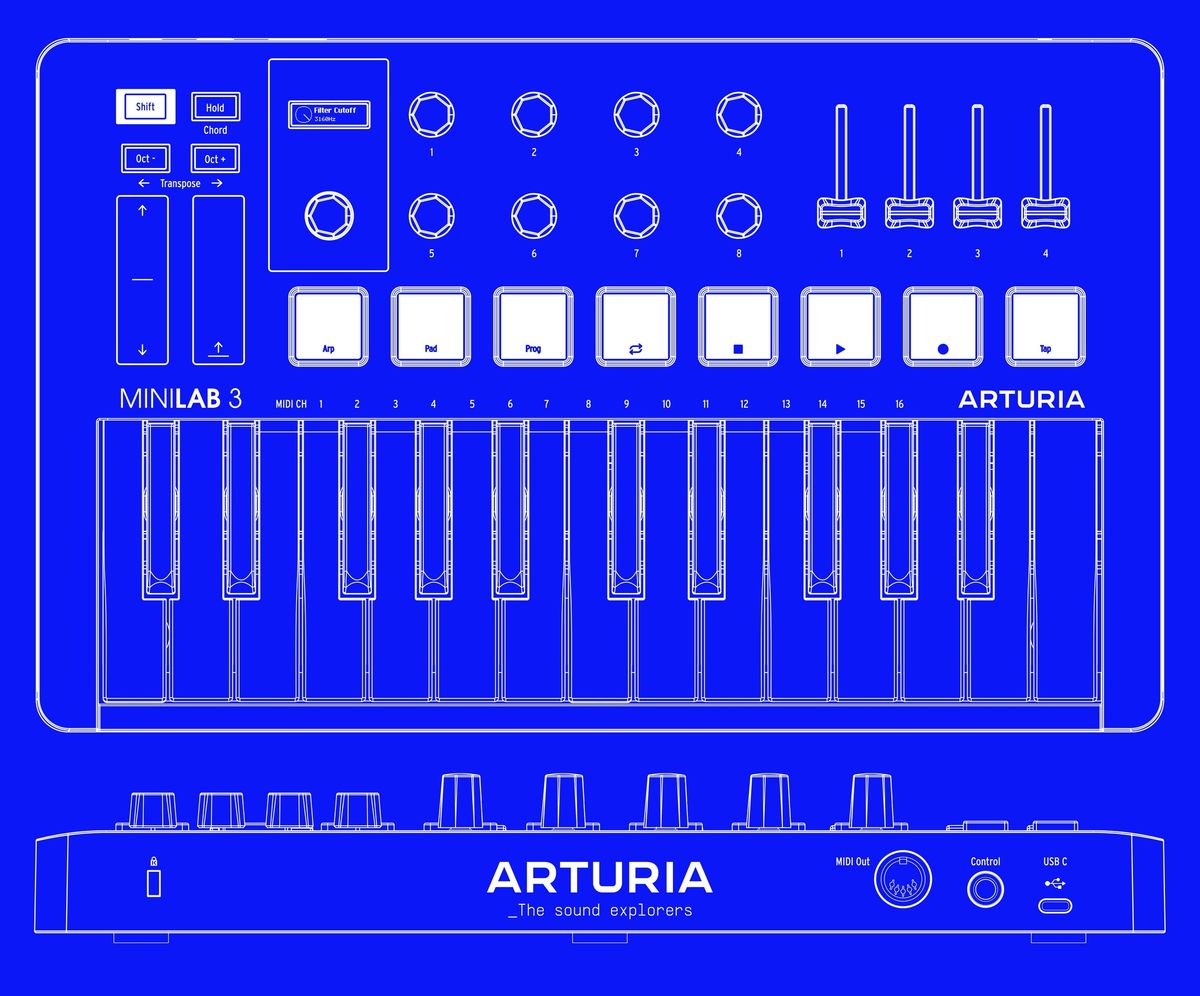
Three details do the heavy lifting. The display plus browser knob means you can audition presets and see parameter names without looking at your screen — rare at this size. The four faders turn it into a usable mix surface, which most 25-key controllers can't claim. And Hold and Chord modes let one finger sustain or trigger a full voicing, which is how non-keyboardists get real chord progressions out of a two-octave keyboard.
It ships with Analog Lab Intro (hundreds of presets pulled from Arturia's V Collection and Pigments), Ableton Live Lite, UVI Model D, a Native Instruments instrument, a two-month Loopcloud subscription, and 40 Melodics lessons.
Do you need it?
If you're buying one controller and you produce in a DAW, this is the one. The faders and display are what you'll still be using in three years.
Should you buy it?
Yes — with one caveat. The keys are slim, not full-size. If you play piano properly, buy the KeyLab below instead. Otherwise the MiniLab 3 is the strongest feature-per-dollar case in this entire guide, and the mint finish is a limited run, so it won't be around forever.
2. Arturia KeyLab Essential mk3 (49) — the one to buy if you actually play keys
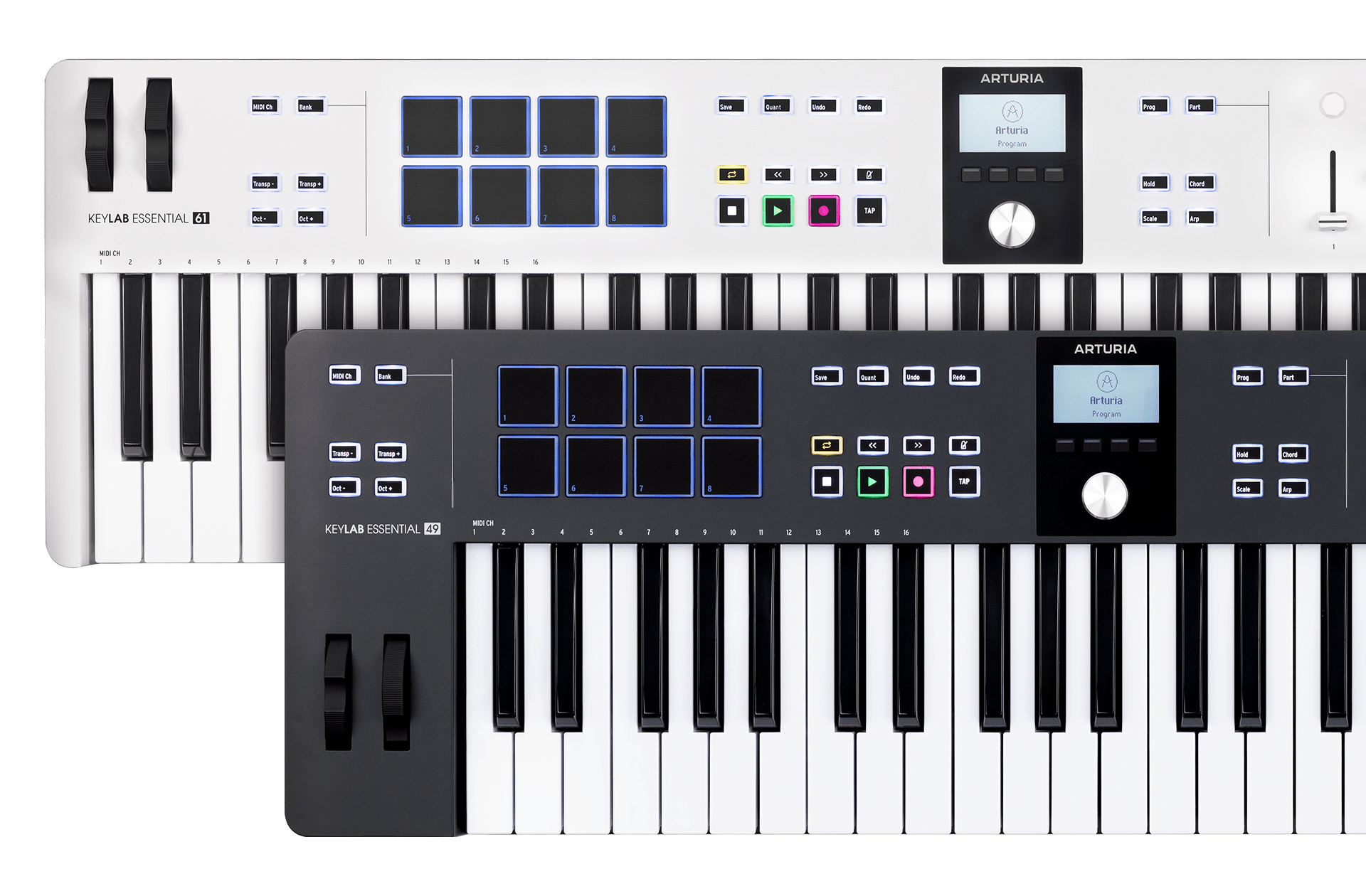
Arturia KeyLab Essential mk3 — 49 keys, with Analog Lab V → (opens in a new tab)
The KeyLab Essential mk3 is what you buy when 25 mini keys stop being enough. It has a 49-note synth-feel keybed (full-size keys), eight pads, nine faders and nine encoders for mixing, dedicated transport controls (play, stop, record, loop, undo, redo, save, quantize), physical pitch and mod wheels, and a display with a push-encoder for browsing.
The reason to pick it over a generic 49-key: integration. It speaks MCU and HUI — the standard control protocols — and ships with custom scripts for Ableton Live, Logic Pro, FL Studio, Cubase, Pro Tools, Studio One, Bitwig, Reason and Digital Performer. It's also NKS-compatible, so pads and knobs auto-map to thousands of third-party instruments. Bundled: a full copy of Analog Lab V (not an intro version), Ableton Live Lite, UVI Model D, a Komplete 15 Select bundle option, Loopcloud and Melodics.
Onboard Chord, Scale and Arp modes are the same creative shortcuts as the MiniLab, but with three more octaves to use them on.
Do you need it?
You need it if two things are true: you play with both hands, and you mix inside your DAW enough that nine faders would replace real mouse work. If neither is true, the extra money and desk space aren't buying you anything.
Should you buy it?
Yes for anyone with keyboard training, anyone recording piano or organ parts, and anyone whose main frustration with a 25-key is running out of range mid-take. It's a "buy once" controller — the transport section and full Analog Lab V mean it stays useful long after you outgrow beginner gear.
3. M-VAVE SMK-25 (Black) — Bluetooth pads and knobs for the price of a dinner
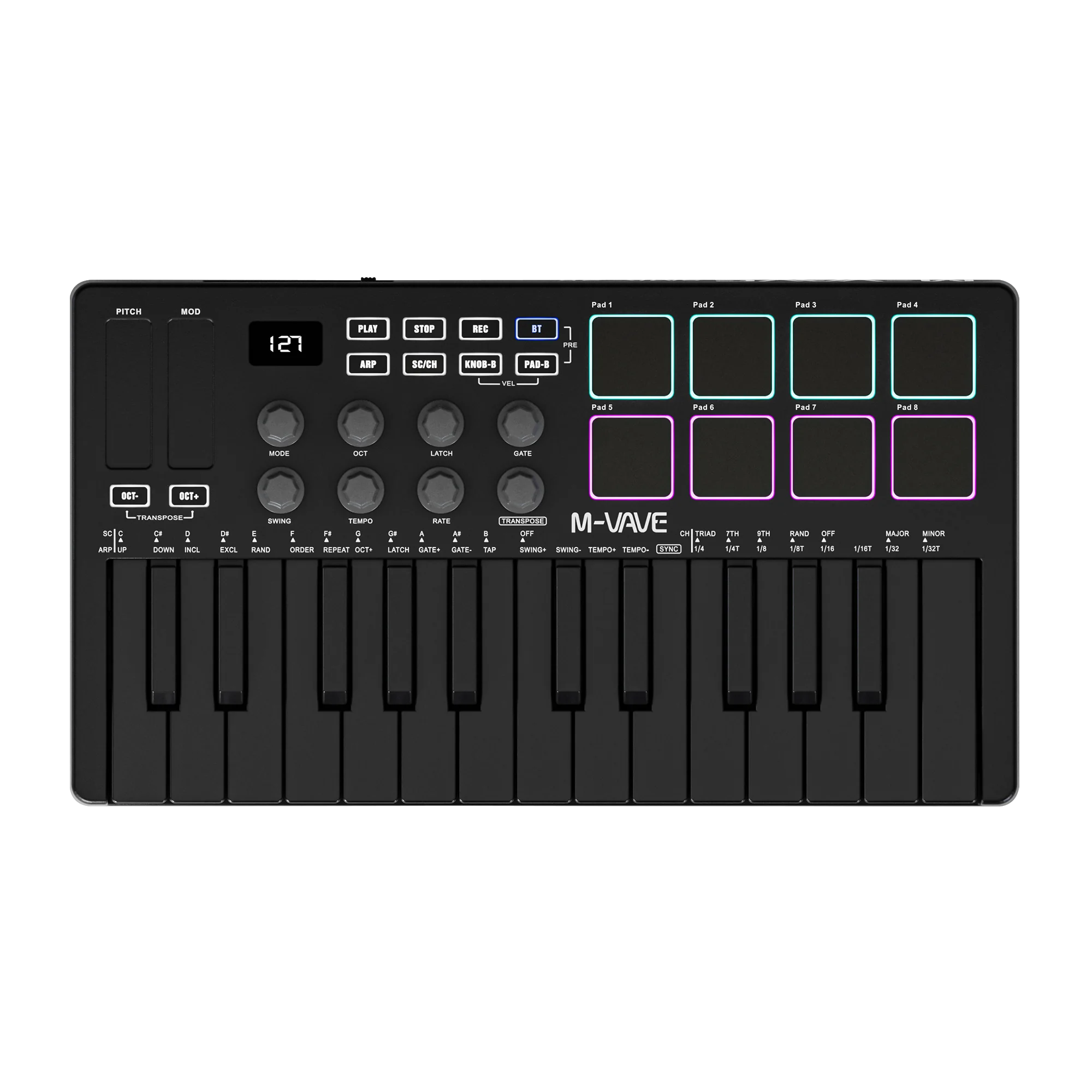
M-VAVE 25-key USB MIDI controller with 8 backlit pads and Bluetooth → (opens in a new tab)
M-VAVE's SMK-25 is the budget swing at the MiniLab formula: 25 velocity-sensitive keys, eight RGB-backlit pads, eight assignable knobs, pitch and mod touch strips, transport buttons (play/stop/rec), a segment display, and wireless BLE MIDI alongside USB. It has an onboard arpeggiator with mode, octave, latch, gate, swing, tempo and rate controls, plus a scale/chord button — so it does chord-and-scale tricks too.
Two honest caveats. Wireless connection quality is the variable — Bluetooth MIDI adds a small amount of latency, which is fine for writing parts and not fine for tight finger-drumming; use USB when it counts. And M-VAVE's own documentation notes that some models expect optional wireless adapters that aren't in the box, so check the listing you're buying.
Do you need it?
Not if you already own a controller. This is a first controller, or a second one you leave permanently at a different desk.
Should you buy it?
Buy it if budget is the binding constraint or you want a knock-around unit for the couch and the tour van. If you can stretch to the MiniLab 3, the faders, screen and software bundle are worth the difference. If you can't, this gets you playing today and nothing about it will hold your writing back.
4. M-VAVE SMK-25 Mini — the one that lives in your bag
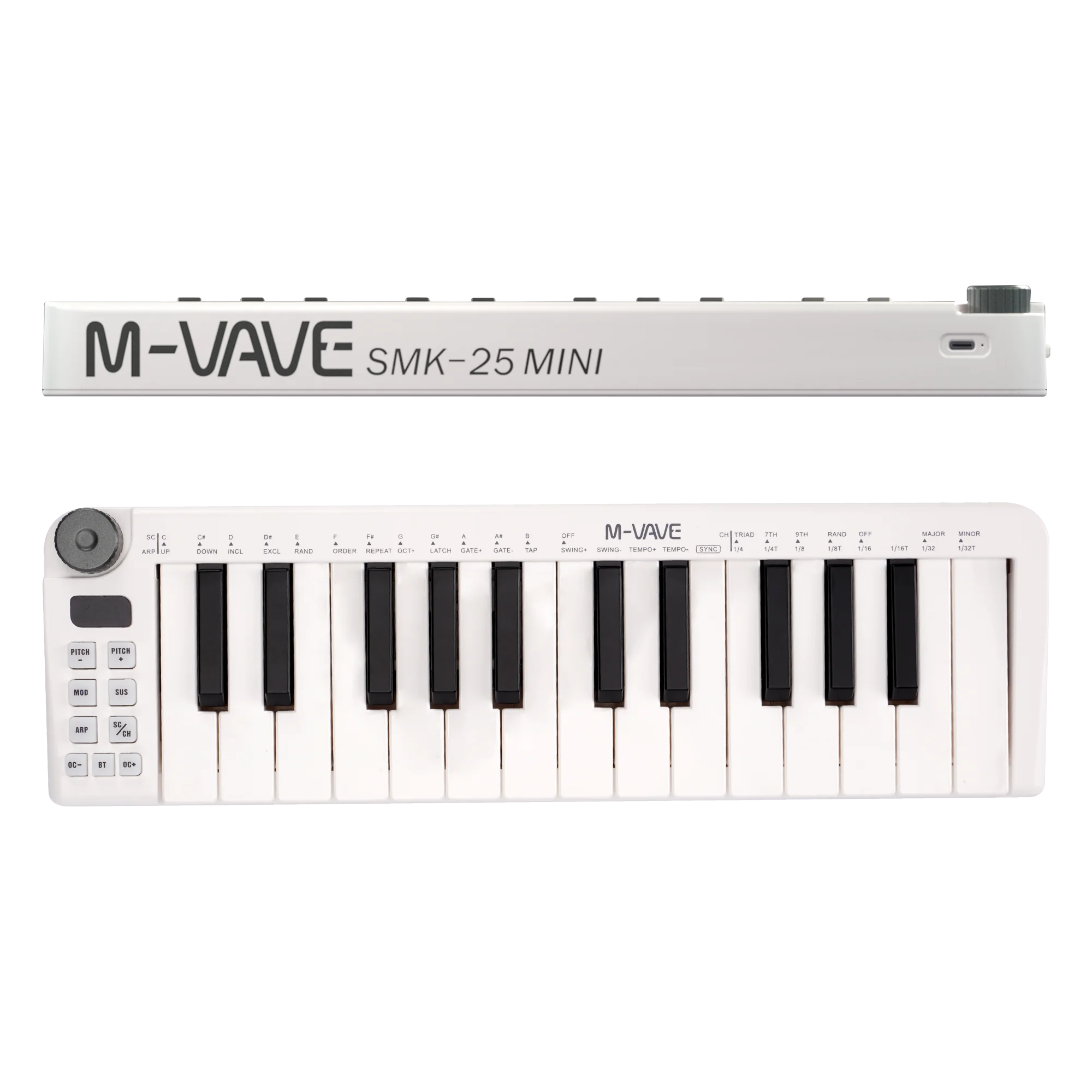
M-VAVE 25-key mini keyboard with built-in battery and wireless connection → (opens in a new tab)
Different animal. The SMK-25 Mini strips the pads and knob array down to a single encoder, a handful of function buttons, and 25 mini keys in a slab about as thick as a hardcover book. It has a built-in rechargeable battery and wireless BLE MIDI, so it works with a laptop on a train or an iPad on a couch with zero cables. Pitch, mod, sustain, arpeggiator and scale/chord functions are all on buttons plus key-shortcut labels printed above the keys.
The trade-off is deliberate: no faders, no pad grid, no display beyond a tiny readout. You are buying portability and battery life, not control surface.
Do you need it?
Only if you write away from your desk. As a main controller it's frustrating — you'll mouse for everything a knob would have done.
Should you buy it?
Buy it as a second keyboard: the one that goes in the backpack next to your laptop and headphones, the way we spec'd out a whole travel rig here. As your only controller, spend the same money on the SMK-25 Black and get the pads and knobs.
5. Akai MPK Mini Plus — a 37-key controller that doesn't need a computer
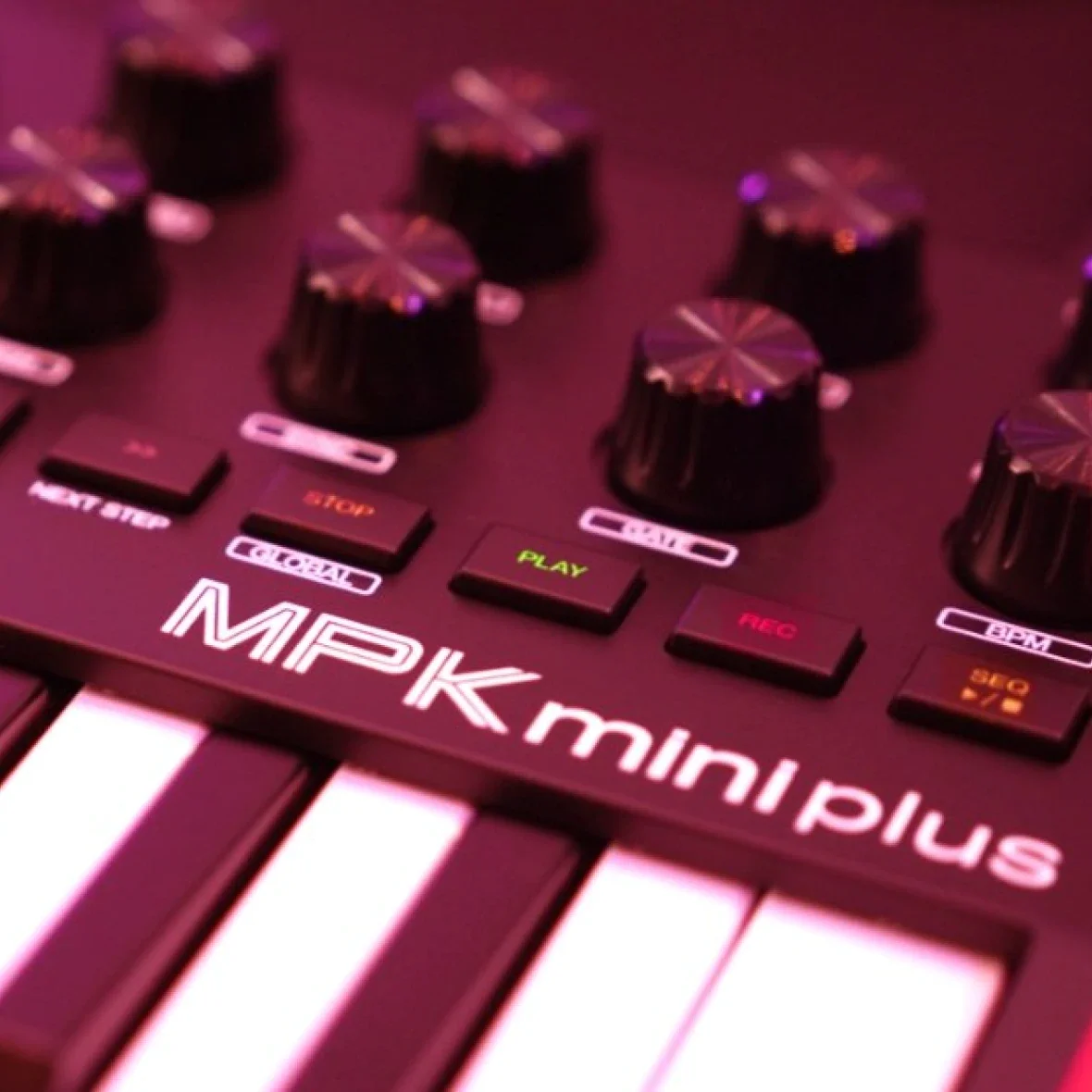
Akai Professional MPK Mini Plus — 37-key USB MIDI controller → (opens in a new tab)
The MPK Mini Plus is the most interesting design in this group because it isn't really a "mini" controller — it's a compact sequencing brain with keys attached.
The specs: 37 mini keys on Akai's Gen 2 dynamic keybed (three full octaves), eight velocity-sensitive RGB-backlit MPC drum pads, eight 360° assignable knobs, an arpeggiator, and an onboard two-track polyphonic step/live sequencer — eight notes of polyphony per step, 16 notes per drum step. Connectivity is the headline: USB, 5-pin MIDI in and out, three 1/8" CV outputs, and 1/8" clock/sync in and out.
Read that connector list again, because it's the whole argument for this keyboard. With CV, gate and clock out you can sequence a Eurorack case, a semi-modular like a Mother-32, or an old analog mono from the MPK — no DAW running, no laptop open. It's a computerless sequencer that also happens to be a very good DAW controller, and it's NKS-mapped to Native Instruments' library on the software side. It ships with MPC Beats, Akai's free MPC-derived DAW.
Do you need it?
You need it if you own or plan to own hardware synths, or if you want to make music with the laptop closed. You don't need it if you produce entirely in a DAW with plugins — you'd be paying for CV jacks you'll never patch.
Should you buy it?
Yes if you're hardware-curious or already have a small synth setup, and yes if you want 37 keys and pads in one box. If your whole studio is software and you mix inside your DAW, the KeyLab Essential's faders and transport section will serve you better for the same kind of money. If you're leaning toward standalone beat-making entirely, compare it against dedicated boxes in our samplers guide.
MIDI keyboard comparison: keys, controls and connections
| Controller | Keys | Pads | Knobs / Faders | Standalone features | Connections | Best for |
|---|---|---|---|---|---|---|
| Arturia MiniLab 3 Mint | 25 slim, velocity | 8 RGB, velocity + pressure | 8 encoders / 4 faders | Arp, Hold, Chord | USB-C, 5-pin MIDI out, pedal jack | The best all-round first controller |
| Arturia KeyLab Essential mk3 49 | 49 full-size, synth-feel | 8 | 9 encoders / 9 faders | Arp, Chord, Scale | USB, MIDI, pedal jacks | Players and in-DAW mixing |
| M-VAVE SMK-25 Black | 25, velocity | 8 RGB backlit | 8 knobs | Arp, scale/chord | USB + Bluetooth BLE MIDI | Lowest-cost pads-and-knobs rig |
| M-VAVE SMK-25 Mini | 25 mini, velocity | — | 1 encoder | Arp, scale/chord | USB + Bluetooth, internal battery | Writing away from the desk |
| Akai MPK Mini Plus | 37 mini, Gen 2 keybed | 8 MPC RGB | 8 knobs | 2-track sequencer, arp | USB, 5-pin MIDI in/out, 3× CV out, clock in/out | Hardware rigs and DAW-less jams |
Which one should you buy first?
- You've never owned a controller and you work in a DAW. MiniLab 3 Mint. Faders, screen, pads, software — nothing to regret.
- You play piano. KeyLab Essential mk3 49. Full-size keys are the whole point.
- You have about the cost of two coffees a week. M-VAVE SMK-25 Black. Pads and knobs beat no pads and no knobs.
- You already have a desk controller and travel a lot. SMK-25 Mini as the bag keyboard.
- You own or want hardware synths. MPK Mini Plus, for the CV and the sequencer.
How to get good results in your first week
- Set your velocity curve before you record anything. If every note lands at 110-127, your playing sounds like typing. Most controllers offer soft/medium/hard curves; pick the one where a comfortable press lands around 80.
- Map your first four knobs to the same four things in every project — filter cutoff, resonance, reverb send, and one macro. Muscle memory beats flexibility.
- Use Chord and Scale modes as training wheels, not a crutch. Scale mode stops you hitting wrong notes; play in it for a week, then turn it off and see what stuck.
- Record long takes, then edit. The advantage of MIDI is that a four-minute sloppy improvisation is a mine you can dig through. Quantize afterward, and leave some notes off the grid.
- Pair it with free instruments before you buy more. Bundled intro plugins plus the free plugin stack we maintain will outlast most paid purchases.
FAQ
Do I need an audio interface to use a MIDI keyboard? Not technically — the keyboard runs over USB and your laptop's headphone jack will make sound. But you'll want an interface as soon as you record a mic or a guitar, or when laptop-output latency starts making playing feel late.
Is 25 keys enough? For bass, chords, drums and one-handed melodies, yes — most released records were written on fewer keys than you'd guess. It stops being enough when you want a left-hand part and a right-hand part at once.
What's the difference between semi-weighted and weighted keys? Semi-weighted uses springs to add resistance; weighted (hammer-action) uses real mechanical weight, like a piano. Nothing in this price range is truly hammer-action, and manufacturers use "semi-weighted" loosely — treat it as a feel preference, not a spec.
Does Bluetooth MIDI have latency? Yes, a small amount, and it varies by computer and adapter. It's fine for writing melodies and moving knobs; plug in over USB for finger-drumming and anything you need locked to the grid.
Will these work with an iPad or an iPhone? Bluetooth models pair directly. USB models generally work through a powered USB-C hub or a camera adapter, since bus power is the usual failure point.
What does "class-compliant" mean? No drivers needed. The operating system recognizes the device as a standard MIDI class device the moment you plug it in — every controller here is class-compliant over USB.
Do I need the bundled software? Treat it as a bonus, not a reason to buy. Ableton Live Lite and MPC Beats are genuinely usable DAWs, and Analog Lab is a genuinely good preset library, but no bundle rescues a keybed you don't enjoy playing.
This article contains affiliate links. If you buy through them, Sampled earns a small commission at no extra cost to you — it keeps the lights on.