 SAMPLED
What Is the Best Cheap Audio Interface in 2026?
Three entry-level USB interfaces — the Focusrite Scarlett Solo 3rd Gen, the Steinberg UR22MKII, and the Arturia MiniFuse 2 — compared on preamps, channel count, MIDI, and bundled software.
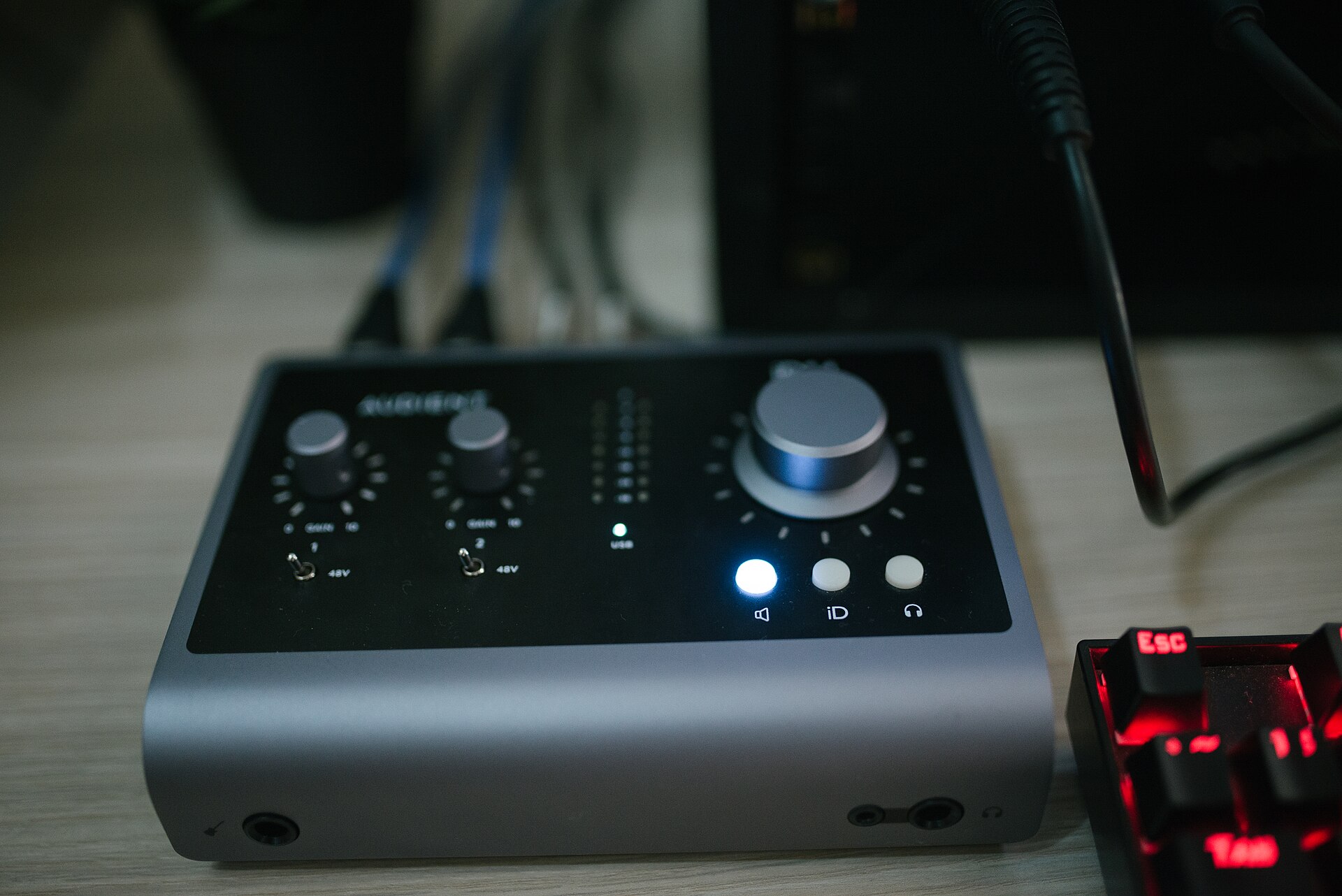
An audio interface is the bridge between a microphone, instrument, or synthesizer and a computer. It converts analog signals to digital audio at a quality that a laptop's built-in sound card cannot match, and it sends that signal to studio monitors or headphones with enough gain and headroom to capture a clean vocal or a hot guitar DI. For anyone building a home studio — a singer-songwriter tracking vocals and guitar, a beatmaker recording synth lines, or a podcaster replacing a USB mic — the interface is the first piece of hardware worth upgrading.
Three interfaces sit at the entry-level price point that most first-time buyers land on: the Focusrite Scarlett Solo 3rd Gen (opens in a new tab), the Yamaha Steinberg UR22MKII (opens in a new tab), and the Arturia MiniFuse 2 (opens in a new tab). Each takes a different approach to the same problem — getting sound in and out of a DAW cleanly — and the differences in input count, preamp design, connectivity, and bundled software matter more than the spec sheet suggests.
Quick comparison
| Feature | Scarlett Solo 3rd Gen | UR22MKII | MiniFuse 2 |
|---|---|---|---|
| Inputs | 1 mic + 1 instrument (2-in/2-out) | 2 combo XLR/TRS (2-in/2-out) | 2 combo XLR/TRS (2-in/2-out) |
| Preamps | Focusrite 3rd-gen (with Air) | Yamaha D-PRE (discrete Class-A) | Arturia low-noise (EIN < −129 dB) |
| Connectivity | USB-C | USB-B (USB 2.0) | USB-C |
| Max resolution | 24-bit / 192 kHz | 24-bit / 192 kHz | 24-bit / 192 kHz |
| Phantom power | Yes (48V) | Yes (48V) | Yes (48V) |
| MIDI I/O | No | Yes | Yes |
| Loopback | No | Yes | Yes |
| iOS / iPad | No | Yes (class-compliant) | No |
| DAW bundle | Ableton Live Lite, Pro Tools First | Cubase AI | Ableton Live Lite, Analog Lab Intro |
Focusrite Scarlett Solo 3rd Gen
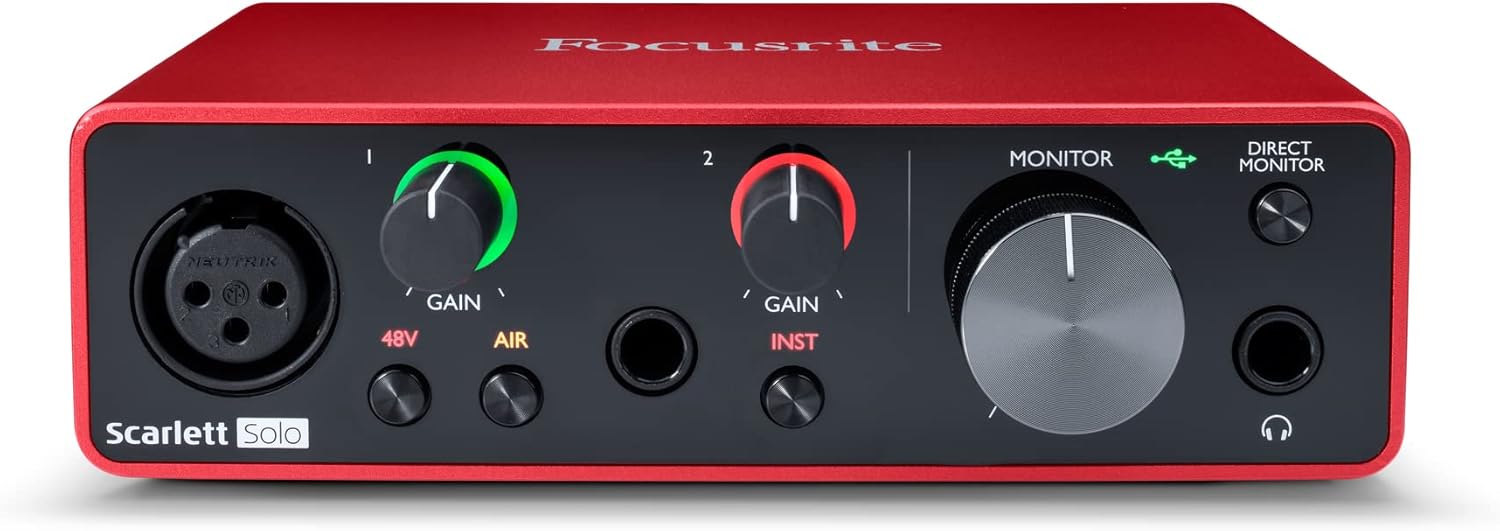
The Scarlett Solo 3rd Gen (opens in a new tab) is the interface most people buy first, and for good reason. Focusrite has refined the single-channel design over three generations, and the result is a bus-powered box that records one microphone and one instrument simultaneously at 24-bit / 192 kHz over USB-C.
The standout feature is the Air button. Engaging it switches the preamp to an impedance-coupled circuit that emulates the high-end "air" band of Focusrite's ISA preamp — it adds a subtle lift in the top octave that can flatter a condenser mic on vocals or acoustic guitar. For a singer-songwriter tracking one take at a time, that single switch is often the difference between a flat demo and a recording that sounds finished.
The Solo's limitation is its name: it has one mic preamp. The front panel offers a combo XLR/quarter-inch jack for mic or line, plus a separate instrument jack for DI-ing a guitar or bass. Both can be recorded at the same time — a vocal and a guitar DI — but there is no second mic channel for stereo recording or two-mic setups. There is also no MIDI I/O, so hardware synths and controllers need a separate USB connection or a MIDI adapter. The direct-monitor switch is mono-only, which is fine for tracking but worth noting if headphones need a stereo feed.
Focusrite bundles a generous software package: Ableton Live Lite, Pro Tools First, the Red Plug-in Suite (compressor, equalizer, reverb, gate), Softube's Time and Tone bundle, and a Splice subscription. That bundle alone justifies a chunk of the Scarlett Solo's $119 street price (opens in a new tab).
Yamaha Steinberg UR22MKII
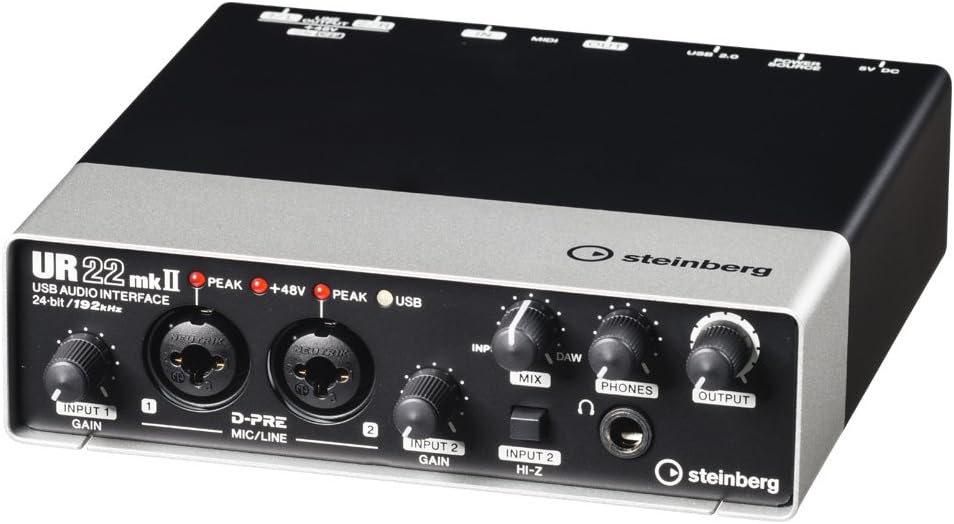
The UR22MKII (opens in a new tab) is a Yamaha-designed interface sold under the Steinberg brand, and its strength is the D-PRE preamp. D-PRE is a discrete Class-A circuit — meaning each transistor is individually selected rather than packed into an op-amp chip — and it has a reputation for warm, full low-mids that flatter dynamic microphones like the SM7B or the SM57. For anyone recording vocals or speech with a dynamic mic that needs clean gain, the UR22MKII's preamps are a step above the typical entry-level chip.
Two Neutrik combo jacks accept XLR or quarter-inch, so the UR22MKII records two microphones simultaneously — useful for stereo mic techniques, drum overheads, or a two-person podcast. Input 2 switches to a high-impedance instrument mode for DI-ing guitar or bass. The interface connects via USB-B (USB 2.0), which is older than USB-C but just as reliable for audio throughput.
Where the UR22MKII pulls ahead of the Scarlett Solo is connectivity: it has MIDI I/O (in and out), so it can host a hardware synth or MIDI controller without a separate interface, and a loopback function that routes the computer's output back into the DAW for recording system audio or streaming. It is also class-compliant with iOS, which means it works with an iPad or iPhone without drivers — useful for mobile production. The bundled DAW is Cubase AI, a stripped-down version of Steinberg's flagship sequencer, and the interface supports DSP effects (REV-X reverb, channel strip) when used with Cubase.
The trade-off is that the UR22MKII uses USB-B rather than USB-C, and its DSP effects are locked to Cubase — they do not work in Ableton, Logic, or FL Studio. At roughly $160 (opens in a new tab), it sits between the Scarlett Solo and the MiniFuse 2, and the second mic channel plus MIDI make it the better value for anyone who needs more than a single input.
Arturia MiniFuse 2
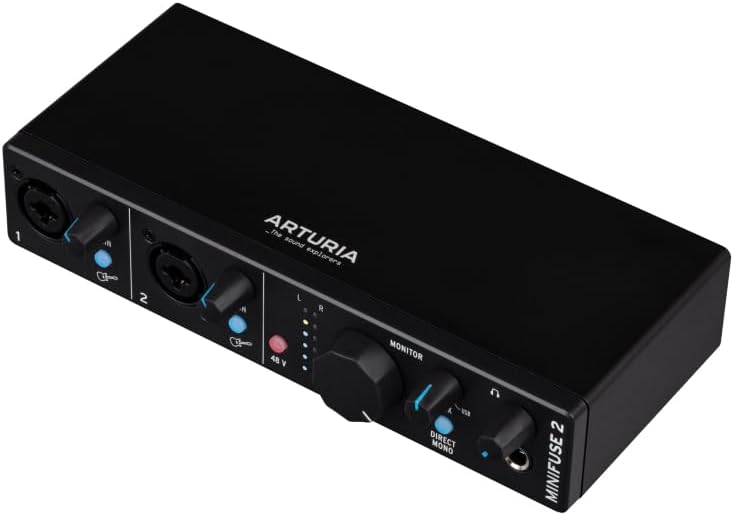
Arturia made its name in software instruments — the V Collection, Pigments, and the MiniBrute synthesizers — and the MiniFuse 2 (opens in a new tab) is the company's entry into audio interfaces. Like the UR22MKII, it offers two combo XLR/TRS inputs at 24-bit / 192 kHz, but it connects via USB-C and positions itself around low-noise preamp performance: Arturia quotes an EIN (equivalent input noise) below −129 dB, which is excellent at this price and means quiet sources record cleanly without hiss.
The front panel layout is clean and intuitive. Two gain knobs, a phantom-power switch, LED metering, a large monitor knob, and a mix control for balancing input and DAW playback during tracking. Input 2 has an instrument/Hi-Z switch. Like the UR22MKII, the MiniFuse 2 includes MIDI I/O and a loopback path for streaming. Unlike the UR22MKII, it connects via USB-C, which matters more for laptop owners whose machines have dropped USB-A ports entirely.
Arturia's software bundle is strong: Ableton Live Lite, Analog Lab Intro (a curated slice of Arturia's virtual instrument library), a set of Arturia FX plug-ins, and a Splice subscription. For a producer who wants to start making beats immediately, the combination of Analog Lab's sounds and Ableton Live Lite is arguably the most immediately musical bundle of the three.
The MiniFuse 2 lands at around $169 (opens in a new tab) — the most expensive of the three — but the USB-C connection, the MIDI I/O, the loopback, and the software bundle make it a complete starter package rather than just a converter box.
How to choose
The right choice comes down to what gets recorded and what is already on the desk.
Pick the Scarlett Solo 3rd Gen if the workflow is one microphone and one instrument — a singer-songwriter tracking a vocal and a guitar DI, a podcaster with a single mic, or a producer who already has a MIDI controller on USB. The Air mode (opens in a new tab) flatters vocals and acoustic instruments, the software bundle is the largest, and at $119 it is the cheapest of the three. The lack of a second mic channel and MIDI are the only real constraints.
Pick the UR22MKII if two mic channels matter — a podcast with two hosts, a stereo pair on acoustic guitar, or a small drum kit — and if the D-PRE preamp's warmth suits a dynamic mic. The MIDI I/O and loopback (opens in a new tab) add flexibility, and the class-compliant iOS support is a genuine advantage for mobile work. The USB-B connection is the main compromise; most laptops still have a USB-A port, but newer machines may need a hub.
Pick the MiniFuse 2 if USB-C is a must, the workflow needs MIDI and loopback, and the bundled Analog Lab Intro sounds are a draw. The low-noise preamps (opens in a new tab) are the best on paper of the three, and the software package is the most immediately useful for electronic production. The $169 price is the highest, but the feature set is the most complete.
All three record at 24-bit / 192 kHz, all three provide 48V phantom power for condenser microphones, and all three are bus-powered — no external power supply needed. The differences are in channel count, connectivity, preamp character, and the software that ships in the box. None of them is a bad choice; they are simply built for slightly different setups.