 SAMPLED
How Do You Edit and Practice MIDI in a Browser Without Installing Anything?
On a locked work laptop or a Chromebook, you can still play, edit, convert and bounce MIDI. Here is a no-install session using MIDI Player Online's free browser tools, and where audio-to-MIDI falls short.
Press note: Allen, who built MIDI Player Online, pitched this story to Sampled. This piece is filed under Press and walks through the workflow; it is not an independent review.
Not every music session starts at a fully loaded studio desk. Maybe you are on a school Chromebook, a locked work laptop, or a borrowed computer where you can't install a DAW. You can still get real MIDI work done.
MIDI Player Online (opens in a new tab) is a set of free browser tools for MIDI. The site says everything runs locally on your device: no upload, no account, no install. Here is how to string its tools together into one complete session.
What can you do with MIDI in a browser?
| Step | Tool | What it does |
|---|---|---|
| 1. Sketch | MIDI Keyboard Online (opens in a new tab) | Play a virtual piano with your computer keys, mouse or touchscreen |
| 2. Edit | MIDI Editor Online (opens in a new tab) | Add, move, resize and delete notes on a piano roll, then export a .mid |
| 3. Transcribe | MP3 to MIDI | Turn a single-note melody recording into MIDI |
| 4. Bounce | MIDI to MP3 | Render a .mid file to an MP3 you can share |
| Practice | MIDI Player | Play back a .mid, follow the piano roll, change tempo and loop sections |
Step 1: How do you sketch an idea on a virtual keyboard?
Open the MIDI Keyboard Online page and start playing. The row A S D F G H J K plays the white keys (C through C), and W E T Y U plays the black keys. You can also click the keys or tap them on a phone.
You can switch octaves, choose a basic sound (sine, triangle, square or saw), and turn sustain on or off. Use it to find a chord, test a hook, or work out a melody before you lose it.
Step 2: How do you edit MIDI notes online?
Open the MIDI Editor Online. You can load an existing .mid file or start a blank project. Then:
- Click the grid to add a note.
- Drag a note to move it.
- Drag its right edge to make it longer or shorter.
- Press Delete to remove it.
Press play to hear it, set the tempo, and click Export .mid when you're done. The exported file opens in FL Studio, Ableton Live, Logic Pro or any other program that reads standard MIDI files.
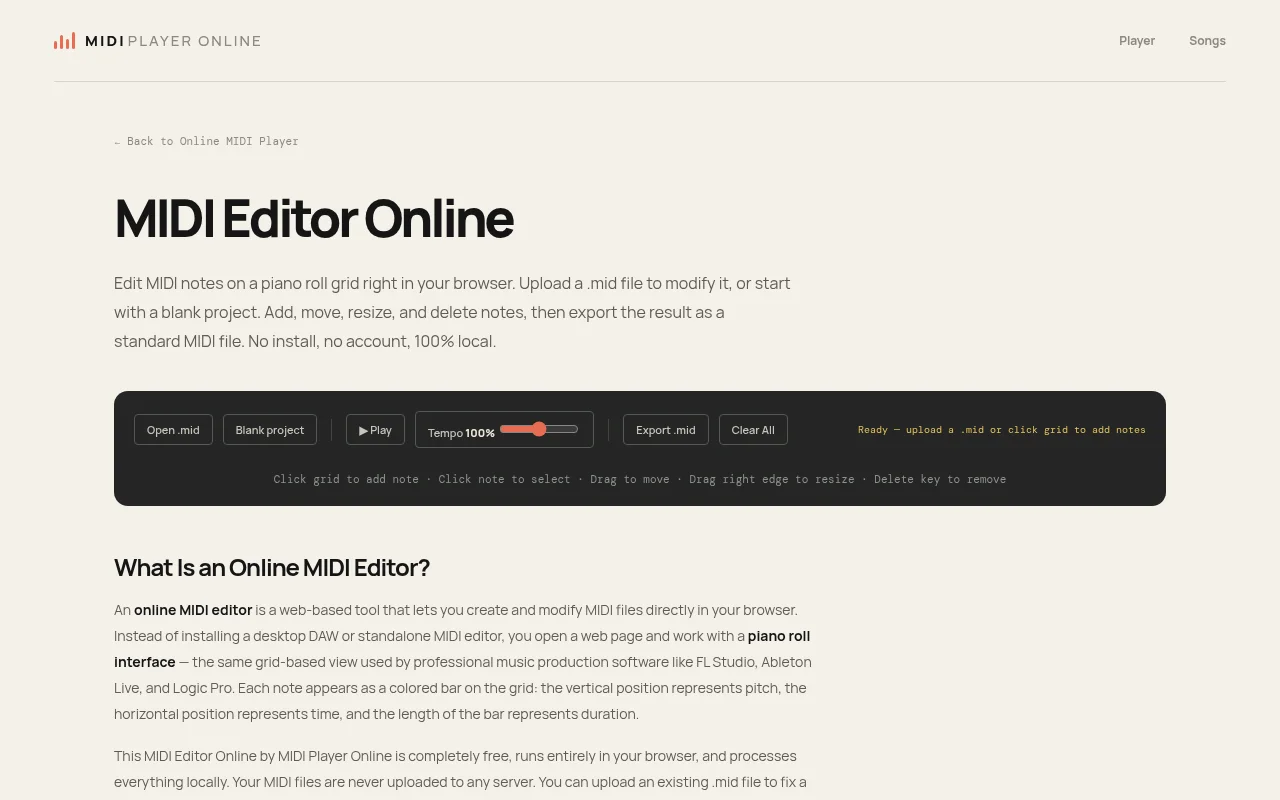
Screenshot: MIDI Editor Online. Source: MIDI Player Online (opens in a new tab)
Step 3: When does MP3 to MIDI work, and when does it fail?
This step is where expectations matter. The MP3 to MIDI tool accepts MP3, WAV or OGG files, and the site says it uses monophonic pitch detection. That means it listens for one note at a time.
It works well for:
- A melody you hummed or sang into a voice memo
- A solo flute, trumpet or violin line
- Any part where only one note plays at a time
It struggles with:
- Piano chords or strummed guitar
- A full band mix or a finished song
With chords or full mixes, the tool can usually only pick out the strongest note. For those, use the editor and your ears instead. A quick tip: record your idea as a clean hum with no background noise, convert it, then fix any wrong notes in Step 2.
Step 4: How do you turn MIDI into an MP3?
The MIDI to MP3 tool renders a .mid file into audio you can send to a bandmate or play on your phone. You can pick a sample rate (44,100 Hz or 22,050 Hz) and a bitrate from 128 to 320 kbps.
Keep in mind that a MIDI file contains no sound, only note instructions. The MP3 will sound like the tool's built-in synth, not your favorite plugin. It's a demo bounce, not a final mix.
How do you practice with a MIDI file?
Drop a .mid or .midi file (up to 50 MB) into the main MIDI Player (opens in a new tab). You can follow the notes on the piano roll, slow the tempo down, and loop a section between two points until the hard part sticks.
Try it on
- The lunch-break hook: Hum a melody into your phone, convert it to MIDI, clean it up in the editor, and export it for your DAW at home.
- The chord check: Use the virtual keyboard to test chord voicings before you program them.
- The practice loop: Load a MIDI file of a piece you're learning, slow it to 70%, and loop the tricky bars.
FAQ
Do I need an account? No. MIDI Player Online says its tools need no account and no install.
Are my files uploaded? The site says files are processed locally in your browser and never uploaded to a server.
Will it work on a Chromebook? The tools run in a web browser, so they're designed for setups where you can't install software.
Can it turn a full song into MIDI? Not reliably. The audio-to-MIDI tool works best with single-note melodies, not chords or full mixes.
Related reading
- MIDI note numbers chart: where is middle C?
- What is a MIDI keyboard?
- Best free DAWs for beginners
- Best budget MIDI controllers for producers
Free tools and contact
The tools are free at https://midiplayeronline.com/ (opens in a new tab).
Contact: Allen, shia3420@gmail.com