 SAMPLED
Which Nektar MIDI Keyboard Is Right for You? SE61 vs Impact LX Mini vs GXP61
Three Nektar controllers for three different desks: the plug-and-play SE61, the travel-sized Impact LX Mini and the semi-weighted, aftertouch-equipped Impact GXP61.
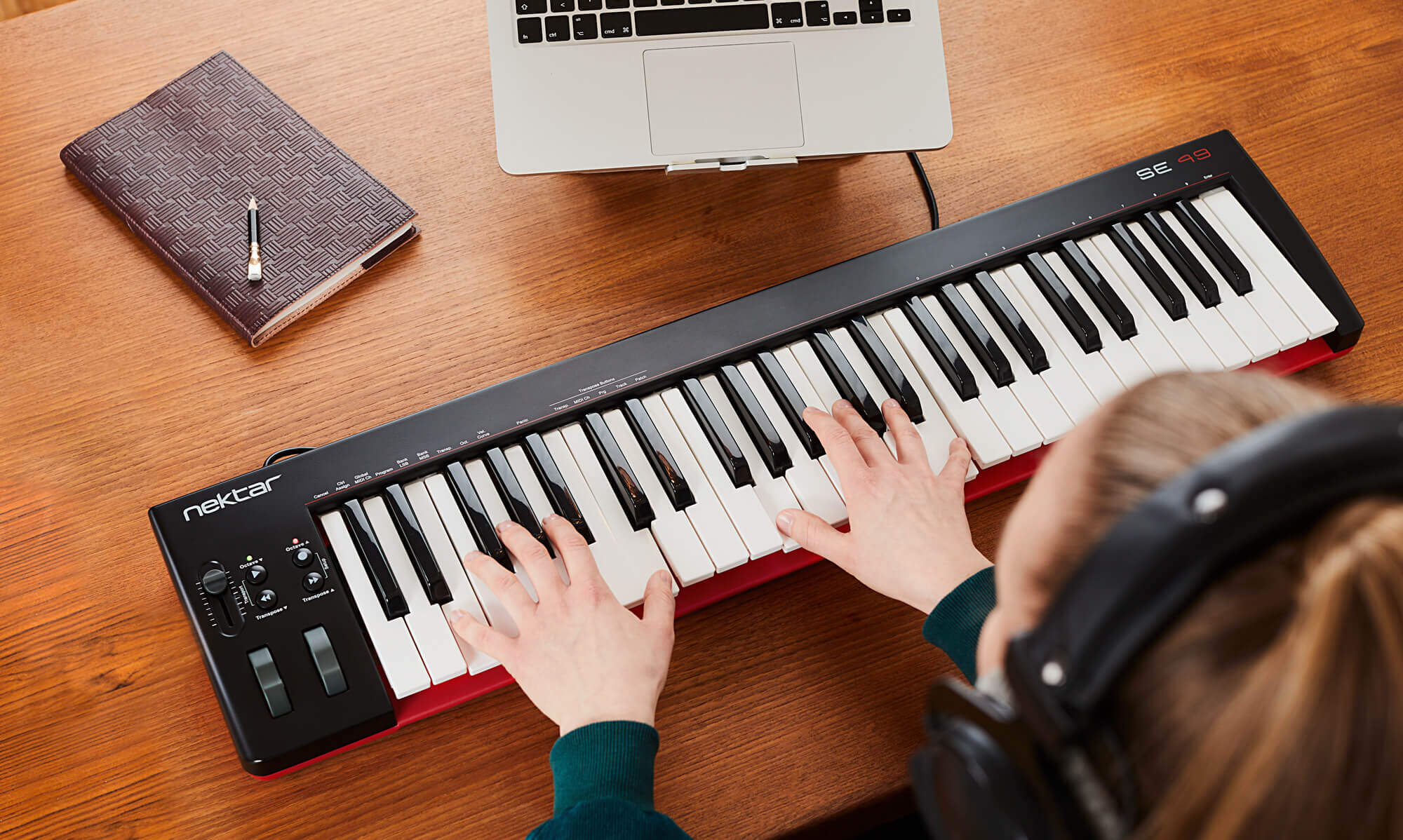
A MIDI controller is the one piece of studio gear that gets touched on every session, and Nektar has built its reputation on a single unfashionable idea: the keyboard should already know what DAW it is plugged into. Its DAW Integration packages map transport, track selection, mixer and patch browsing without any manual CC assignment, and that support runs across the cheap boards as well as the expensive ones.
Three models cover most working setups: the SE61 (opens in a new tab) for a straightforward full-size keybed, the Impact LX Mini (opens in a new tab) for a bag or a hotel desk, and the Impact GXP61 (opens in a new tab) for players who want semi-weighted keys and aftertouch.
Quick comparison
| Nektar SE61 | Impact LX Mini | Impact GXP61 | |
|---|---|---|---|
| Keys | 61 full-size, synth action, velocity | 25 mini, velocity | 61 full-size, semi-weighted |
| Aftertouch | No | No | Yes, channel aftertouch |
| Velocity curves | 4 curves plus 3 fixed | 4 curves plus 3 fixed | 5 curves plus 3 fixed |
| Performance controls | Pitch bend and mod wheels, 1 assignable fader, 4 buttons | Joystick (pitch, mod, pedal), 8 knobs, 8 pads | Pitch and mod wheels, 14 illuminated RGB buttons, repeat engine |
| Transport | MMC via key combination | 7 assignable transport buttons | Dedicated transport section |
| Pedal input | 1/4" footswitch | 1/8" footswitch with adapter, auto polarity | Footswitch and expression |
| Arpeggiator | No | Two arpeggiators | Real-time repeat engine |
| DAW integration | Yes | Yes | Yes, 12 DAWs |
| Best for | First full-size board, budget rigs | Travel, laptop production, finger drumming | Playing parts, keys-forward production |
| Buy | Amazon (opens in a new tab) | Amazon (opens in a new tab) | Amazon (opens in a new tab) |
Nektar SE61: plug in and play
The SE61 is the least complicated board in the range, and that is the point. Sixty-one full-size, velocity-sensitive synth-action keys, full-size pitch bend and modulation wheels, a single assignable MIDI fader and four buttons to the left of the keybed. Nothing to configure before the first take.
Those four buttons do more than they look like they do. Octave shift covers minus three to plus four with multi-colour LED status, transpose covers plus or minus twelve semitones, and both pairs can be reassigned to switch MIDI channel, send program changes, select tracks or browse patches once DAW integration is active. A key combination flips them into MMC transport, so start, stop and record are available without reaching for the mouse.
Four selectable velocity curves plus three fixed levels handle the difference between a light touch and a heavy one, and there is a footswitch socket on the rear for sustain — still not a given at this price. For a first full-size controller, or a second board in a live rig where simplicity is a feature, the SE61 is the sensible pick (opens in a new tab).
Impact LX Mini: the whole studio in a bag
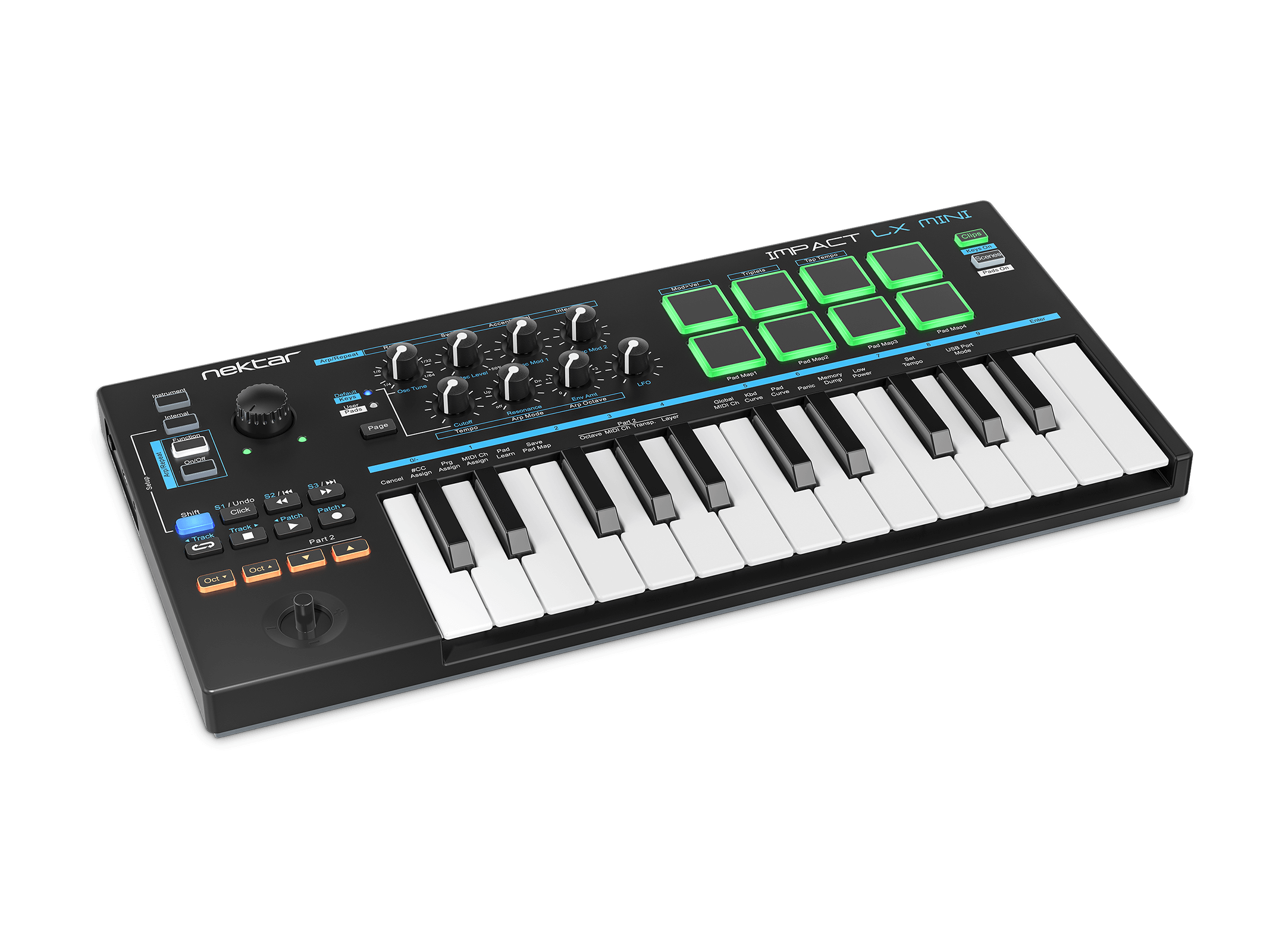
The LX Mini compresses the Impact LX control philosophy into a 25 mini-key frame without turning it into a menu-diving exercise. The keybed is Nektar's newer mini design with velocity sensitivity, four curves and three fixed values, and dedicated octave buttons for reach.
Instead of two wheels it uses a four-way joystick: left and right for pitch bend, up for modulation, down for foot pedal control, with the push button sending pedal at maximum. Up, down and the push are freely assignable to any CC. Eight knobs switch between instrument, internal and arp/repeat pages, and eight velocity-sensitive pads handle finger drumming with four storable pad maps for 32 note assignments.
Two arpeggiators and seven transport buttons — doubled to fourteen assignments with shift, and up to twenty-one under DAW integration — are the reason this outperforms most mini controllers. It even keeps a footswitch socket, with an eighth-inch to quarter-inch adapter included and automatic polarity detection at boot. For laptop production and travel, the LX Mini is hard to beat on control-per-inch (opens in a new tab).
Impact GXP61: built for players
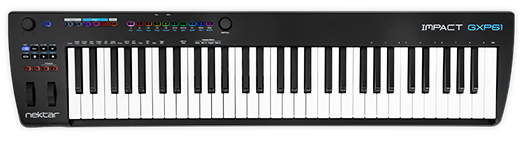
The GXP series is where Nektar stops optimising for budget and starts optimising for touch. The GXP61 uses a newly designed, carefully balanced semi-weighted keybed with velocity and channel aftertouch — the feature that separates a controller that records notes from one that records a performance. Five velocity curves plus three fixed levels tailor the response.
The panel stays uncluttered: extended transport control, track selection and volume, DAW window navigation, and fourteen assignable illuminated RGB buttons for direct MIDI program and bank selection. Twenty-eight assignable MIDI buttons in total, plus mod wheel, aftertouch and footswitch assignments, cover software that Nektar DAW Integration does not natively support; transport buttons can be configured to send program messages or MMC.
Two features tip the balance for keys-forward producers. The real-time Repeat engine puts rhythmic note repeats under dedicated buttons rather than a submenu, and Nektarine plugin patch management turns the board into a browser for VST and AU presets across the whole plugin folder. Steinberg's Cubase LE and the Retrologue synth are bundled, which is a real starting point rather than a demo. If the keybed matters more than the price, the GXP61 is the one to play (opens in a new tab).
Which one belongs on the desk
Buy the SE61 for a full-size keybed and nothing to learn: it is the cheapest way to stop drawing notes with a mouse. Buy the LX Mini when the studio moves — it gives up key size and gains pads, knobs, arpeggiators and transport in a footprint that fits beside a laptop. Buy the GXP61 when the playing itself is the point, because semi-weighted keys with aftertouch and a repeat engine change what gets recorded, not just how fast it gets recorded.
All three share the same DAW integration layer, so the workflow learned on one carries to the next. That is the quiet argument for staying inside one manufacturer's range: the muscle memory transfers.
Disclosure: this article contains Amazon affiliate links. Purchases made through them may earn Sampled a commission at no additional cost to the reader. Product photography courtesy of Nektar Technology (opens in a new tab).