 SAMPLED
Which 4K Webcam Is Best for Streaming? EMEET SmartCam S600 Review
A 4K webcam with a Sony 1/2.55-inch sensor and phase-detection autofocus, aimed at producers who show their face on camera.
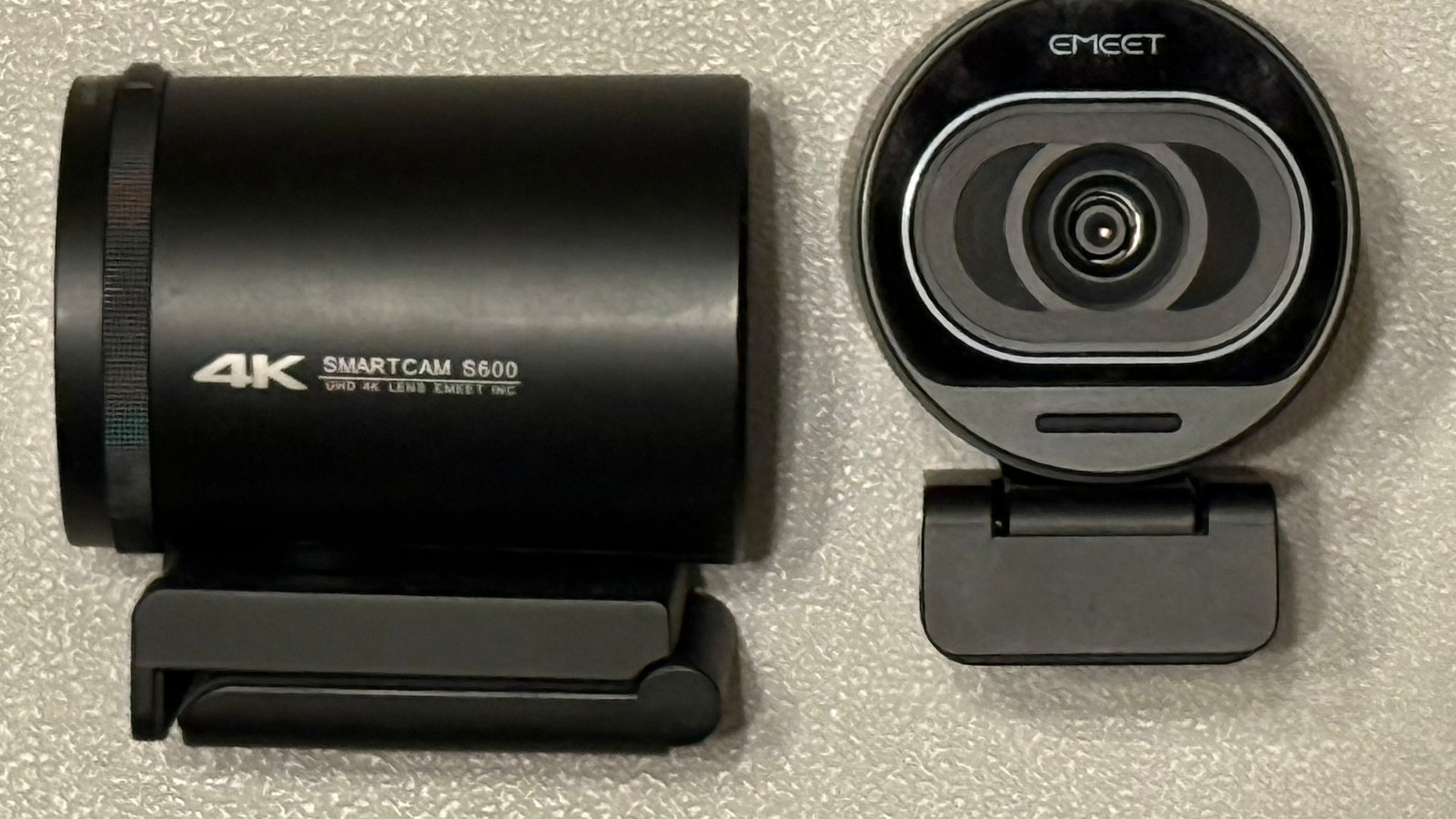
Most producers will spend $400 on a compressor plugin they use twice a year and then film their studio walkthrough on a laptop camera that makes them look like a hostage video. Your face is part of your catalog now. Beat videos, pack demos, Twitch sessions, sync pitches, lesson content — all of it gets judged in the first two seconds, and a soft, noisy, badly-lit image kills a good take before the audio ever gets a chance.
The EMEET SmartCam S600 (opens in a new tab) is the cheap fix for that. It's a 4K USB webcam built around a Sony 1/2.55-inch sensor with phase-detection autofocus, and it sells for well under a hundred bucks.
What you're actually buying
The spec sheet is short and it matters:
| Spec | S600 |
|---|---|
| Sensor | Sony 1/2.55" |
| Resolution | 4K @ 30fps, 1080p @ 60fps |
| Autofocus | PDAF (phase detection) |
| Field of view | Adjustable, roughly 40°–73° |
| Mics | Two, with noise reduction |
| Connection | USB 2.0/3.0, plug and play |
| Privacy | Built-in lens cover |
That sensor size is the headline. Most sub-$100 webcams use a tiny sensor that falls apart the second your room lighting drops below "office ceiling panel." A 1/2.55-inch chip pulls in noticeably more light, which is why the S600 still looks usable in a dim studio with one lamp and a monitor glow.
PDAF is the part streamers feel
Contrast-detection autofocus — what most webcams use — hunts. You lean in to tweak a knob, the image goes soft, breathes, then snaps back a second later. On a recorded beat video you can cut around it. On a live stream you can't.
Phase-detection focus locks instead of hunting. Lean toward the desk, hold up a record sleeve, turn to your rack — the picture stays sharp through the move. If you shoot anything where your hands come toward the camera (MPC pad demos, pedal walkthroughs, guitar close-ups), this is the single feature that separates the S600 (opens in a new tab) from the $30 webcam you already own.
1080p60 is the setting you'll actually live in
4K30 is great for a locked-off talking head or for cropping in during the edit — shoot 4K, punch in to 1080p, and you get a free second angle out of one camera. But for streaming, 1080p at 60fps is the sweet spot: smoother motion on hand movement, smaller upload, and every platform handles it without re-encoding you into mush.
Set the field of view narrow (around 40°) for a tight head-and-shoulders frame that hides a messy room. Open it up toward 73° when you want the desk, the keyboard, and the gear in shot.
The mics are fine — and you shouldn't use them
Two noise-reduction mics are on board, and they're genuinely acceptable for a Zoom call or a client review. But you make music. You have an interface and a real microphone sitting three feet away. Use the S600 for picture and your interface for sound, sync in post or route both into OBS. The only time the built-in mics earn their keep is as a scratch track for syncing multi-angle footage later — which, honestly, is a real use.
Where it fits in a creative setup
- Beat videos and pack demos. Clip it to the monitor, punch in from 4K, done.
- Twitch and YouTube live production. 1080p60, autofocus that doesn't hunt, no capture card, no batteries, no dummy battery adapter dying mid-stream.
- Lesson and tutorial content. Narrow FOV keeps the frame on you; wide FOV covers the whole desk for a second scene in OBS.
- Second angle. Run your phone or mirrorless as the A-cam and the S600 as a locked overhead or over-the-shoulder B-cam. Two angles turn a boring 10-minute talk into something people finish.
- Client sessions and sync meetings. Looking sharp on a call with a supervisor or label A&R costs you nothing extra once the camera is already clipped up there.
Honest limits
It's a webcam, not a cinema camera. There's no interchangeable lens, no real shallow depth of field, and no amount of sensor helps you if the room is pitch black — a $25 lamp bounced off a wall will improve your image more than any camera upgrade. USB power means it lives tethered to a computer, so it's a desk tool, not a run-and-gun rig. And 4K caps at 30fps, so if you want both maximum resolution and smooth motion, you're picking one.
None of that is a knock at this price. It's just knowing what the tool is.
Verdict
If your face shows up in your content and you're still running a built-in laptop camera, this is the least glamorous, highest-return purchase on your list — cheaper than most plugin sales, and it upgrades every video you post from here on. Grab the EMEET SmartCam S600 here (opens in a new tab) and put the laptop camera out of its misery.
Sampled is an Amazon Associate and may earn a commission from purchases made through links in this article, at no extra cost to you.