 SAMPLED
What Is a PTZ Camera, and Do You Need Two? EMEET PIXY Review
A pan-tilt-zoom camera pans, tilts, and zooms on real motors. Running two EMEET PIXY 4K PTZ cameras turns a one-person studio into a multi-camera setup.
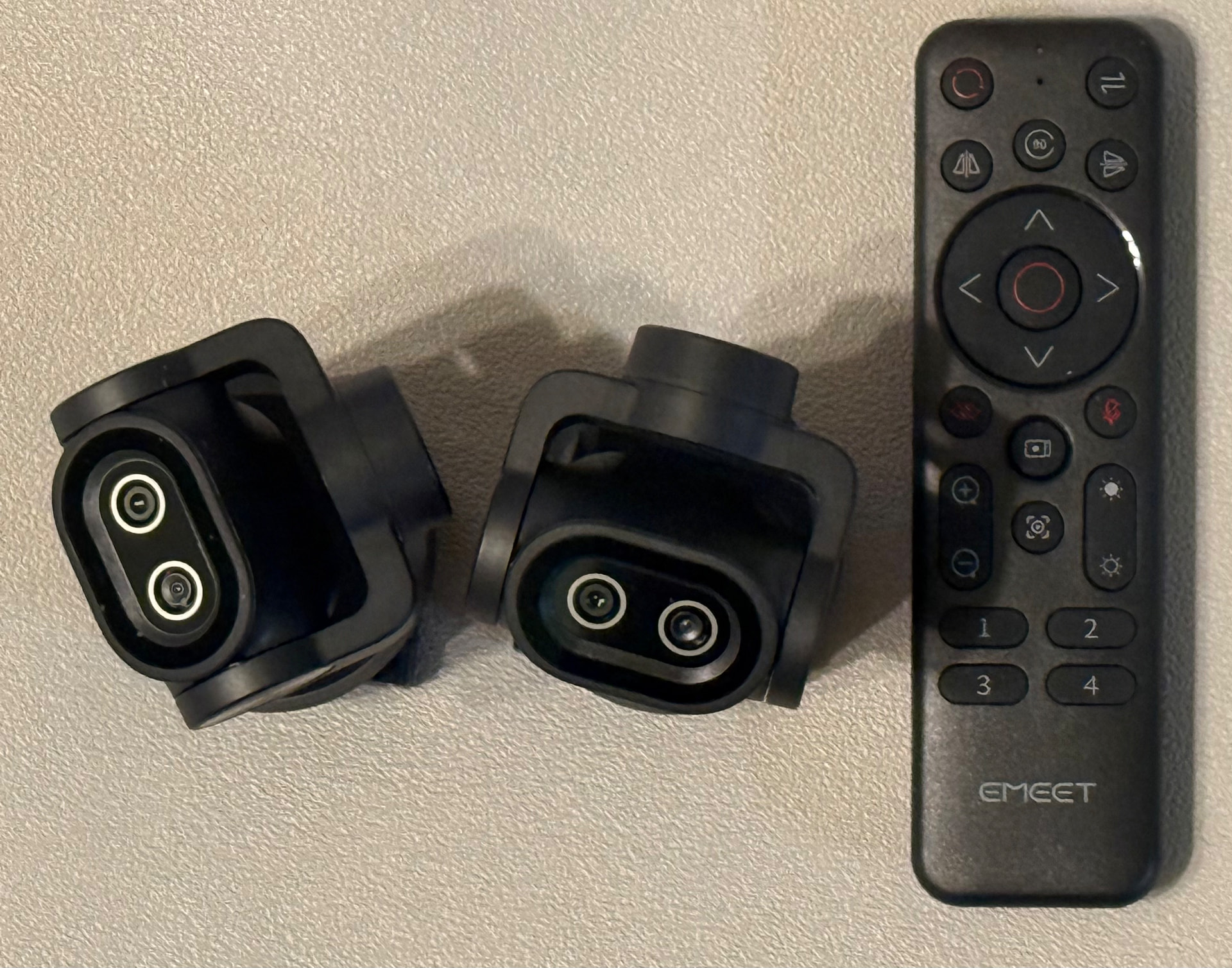
A pan-tilt-zoom camera is a mechanical camera that can pan horizontally, tilt vertically, and zoom in and out. The classic use case is security: PTZ cameras sit at guard posts where an operator sweeps the lens across a lobby or a parking lot with a handheld controller, following whatever moves. What used to be a fixed guard-booth tool is now sitting on my desk pointed at a drum machine.
I have two of them — the EMEET PIXY Dual-Camera AI PTZ 4K with tripod (opens in a new tab) and the EMEET PIXY with remote (opens in a new tab). Same camera, two bundles. Running them as a pair is what makes them interesting for anyone filming music.
What the PIXY actually is
EMEET calls it the first dual-camera AI-powered PTZ 4K webcam. Two lenses share the housing: a 4K imaging camera with a Sony sensor, and a second AI-assist camera that handles subject detection, focus, and exposure so the main sensor never has to hunt. Autofocus lands around 0.2 seconds, and it shoots UHD 4K or 1080p at 60fps.
The pan and tilt are real motors, not a digital crop. The head physically swivels and tilts to keep you framed, which is why the tracking looks like a camera operator instead of a wobbly software zoom. Reviewers have generally landed on "a lot of camera for the money," with the usual caveats about size and a tendency to run bright.
Why a producer should care
Two of these on a desk gets you a two-angle shoot with no camera operator. Put one wide on the room and one tight on the MPC pads or the keybed, and you have an A-cam and a B-cam for a beat video, a gear demo, or a lesson clip. The tracking head means you can stand up, walk to the rack, and stay in frame — the shot follows you instead of you performing to a tripod.
The remote bundle is the one that unlocks it. Numbered preset buttons let you park angles — wide, tight on the hands, over at the synth — and jump between them mid-take, exactly the way a guard post operator works a controller. That is how you fake a multi-camera crew by yourself.
Setup notes from using them
They are USB webcams, so they show up in OBS, Zoom, or whatever you record with, no capture card. Bulk is the honest downside — these are not tiny clip-ons, and on a thin laptop lid they look silly. Mine live on the tripod and on a small stand behind the desk.
Exposure is the thing to watch. In a room with a bright window the PIXY leans overexposed, so lock exposure manually before a take instead of trusting auto in a mixed-light studio. Also worth saying: 4K is more resolution than most of your uploads need. The reason to buy it is the motion and the framing, not the pixel count.
Doubling them as room cameras
Because they pan and tilt and stream over USB, they do the security job too. Pointed at a gear shelf or a doorway from a machine that stays on, a PTZ camera is a cheap way to keep eyes on a studio full of expensive things — the same reason guard posts have used them for decades.
Should you buy one
If you film yourself working and you are tired of static, badly framed shots, yes. Start with the tripod bundle (opens in a new tab) if it is your only camera, and get the remote bundle (opens in a new tab) when you add the second angle. Two of them plus a remote is the cheapest two-camera rig I have run.
Disclosure: the product links above are Amazon affiliate links. If you buy through them, Sampled may earn a small commission at no extra cost to you.