 SAMPLED
What Is the Best MIDI Keyboard for Beginners in 2026?
What a MIDI keyboard actually does, how many keys you need, and the controllers worth buying right now — from $50 to $150.
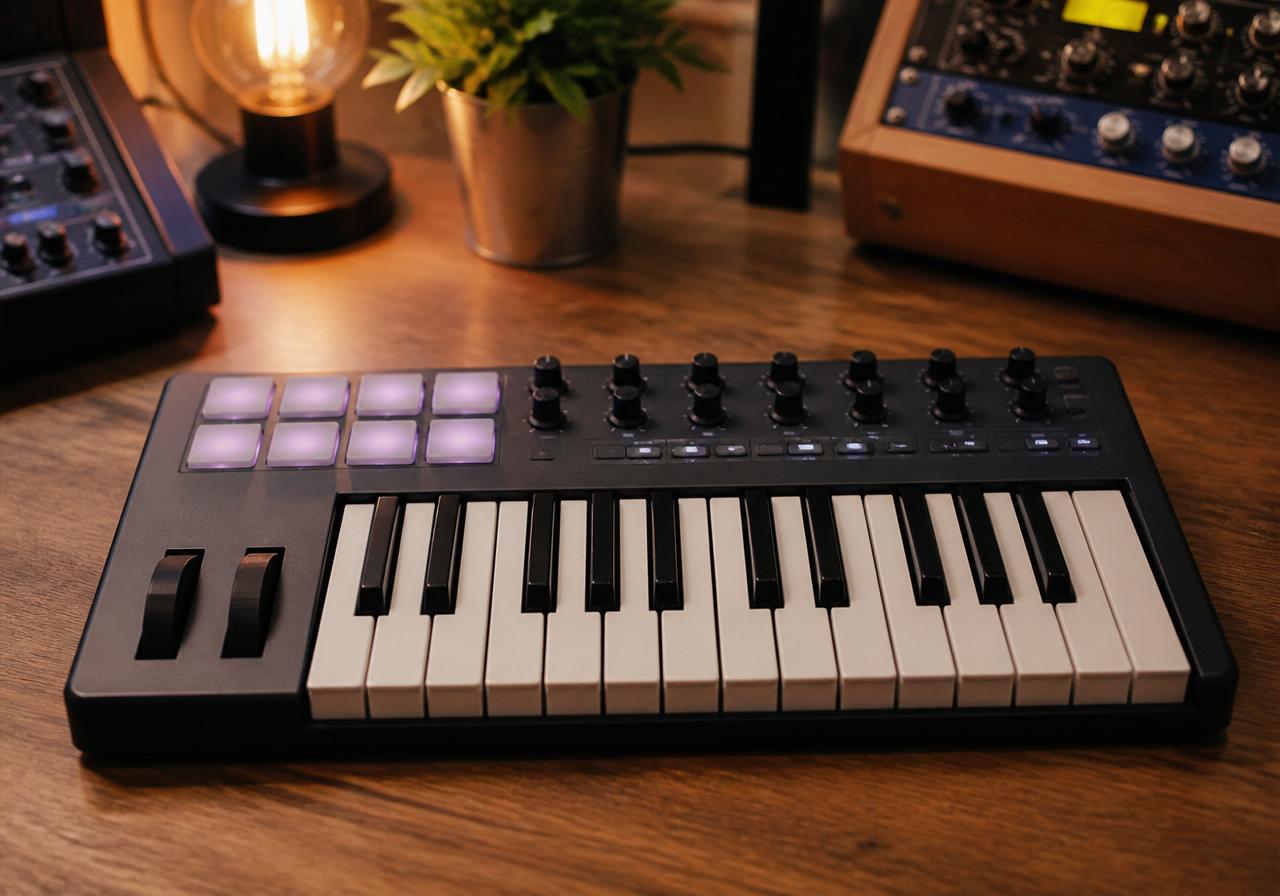
A MIDI keyboard does not make a sound. That single fact clears up most of the confusion beginners have when they buy their first one.
It is a controller. Press a key and it sends a message — this note, this hard, this long — to your computer. Software on the other end turns that message into a piano, a bass, a string section or a screaming lead. Change the software, change the sound. The keyboard never changes.
That is why a $99 controller can sound like anything and a $99 keyboard with built-in speakers usually sounds like exactly one thing.
How many keys do you need?
| Keys | Size | Who it is for |
|---|---|---|
| 25 mini | Fits beside a laptop | Beat makers, travel, tight desks. One hand at a time. |
| 32–37 | Still portable | Basslines plus chords without constant octave shifting. |
| 49 | Needs desk space | Two-handed playing, the sweet spot for most people. |
| 61–88 | Furniture | Trained pianists and anyone recording real performances. |
If you do not play piano, buy 25 or 32 keys and spend the difference on an audio interface. If you do play piano, 25 keys will frustrate you within a week.
The controllers worth buying in 2026
Akai MPK Mini IV (opens in a new tab) — the default recommendation, and for the first time in years it genuinely changed. Announced in October 2025, the fourth generation brought a new keybed, real pitch and mod wheels instead of the old touch strip, and a full-size MIDI output (opens in a new tab). Around $99 with eight drum pads and eight knobs. If you make beats, this is the one.
Arturia MiniLab 3 (opens in a new tab) — around $149, and the value is in the software. It ships with Analog Lab, a genuinely deep collection of vintage synth and keyboard emulations that maps automatically to the knobs. You are buying an instrument library with a controller attached.
Novation Launchkey Mini 25 MK4 (opens in a new tab) — around $110. Scale mode, chord mode and a generative arpeggiator mean it will help you write music you do not yet know how to play. The Mk4 range was built around deep DAW control (opens in a new tab), especially in Ableton Live.
M-Audio Oxygen Pro Mini — roughly $119 for 32 mini keys, and it usually bundles Komplete Select, which is a serious pile of instruments for the money.
Nektar SE25 (opens in a new tab) — about $50. No pads, no frills, just keys that work. If the budget is genuinely tight, buy this and start today rather than saving for three months.
What to ignore
Key count marketing. More keys is not better, it is bigger.
Aftertouch, on a first controller. Lovely feature. You will not use it in year one.
Semi-weighted claims on mini keys. Mini keys are mini keys. If the feel of a real piano matters to you, you need 61 or 88 hammer-action keys and a much bigger budget.
Bundled DAW software as a deciding factor. Most bundles are limited editions designed to upsell you. The included instruments matter more than the included DAW.
Setting it up
Plug it in with USB. That is usually the whole install — class-compliant means no drivers on Windows or macOS. Open your DAW, create a software instrument track, arm it, play. If nothing happens, check the DAW's MIDI input preferences and make sure the controller is enabled.
Everything you play through it can then be edited note by note, which is the real superpower: you do not have to play it well, you have to play it once.
Questions people actually ask
Do I need a MIDI keyboard to make music? No. You can draw notes with a mouse. But playing is faster and the results feel more human — the same reason people still pick up cheap physical instruments for texture.
Will a MIDI keyboard work without a computer? Only if it has a MIDI DIN output and you connect it to hardware that makes sound. The MPK Mini IV added that port; most mini controllers do not have it.
What is the difference between a MIDI keyboard and a synthesizer? A synth generates sound itself. A MIDI keyboard tells something else to generate sound. A synth costs more because you are buying the sound engine too.
What software do I need? A DAW plus instruments. Plenty of both are free — see our free plugin round-up.
Is 25 keys really enough? For beats, basslines and one-handed melodies, yes. For playing piano parts, no.
The bottom line
Buy the MPK Mini IV if you make beats, the MiniLab 3 if you want the sound library, the Launchkey Mini if you live in Ableton, and the Nektar SE25 if money is the deciding factor.
Then stop researching. The controller is not what is standing between you and a finished song.